8 ProtonVPN options for remote work in 2026
Explore how ProtonVPN fits remote work in 2026. Eight real options, pricing, features, and caveats for distributed teams.
Most remote teams fall into one trap with ProtonVPN: they assume a single tunnel is enough for everything. The real friction shows up in governance and policy alignment, not just connectivity. ProtonVPN is part of the backbone, but the governance layer often stalls progress before users even log in.
This piece cuts through the marketing to show what actually moves the needle in 2026. Based on the latest vendor docs and IT leadership briefs, I trace the governance knobs that slow adoption, the frictions on device enrollment, and the practical thresholds for scale. Expect concrete signals, not slogans, and a clear sense of where ProtonVPN fits and where it doesn’t in distributed teams. In 2024–2025 reports, deployment delays clustered around policy enforcement and split-tunneling controls. You’ll come away with a framework for evaluating ProtonVPN against a real enterprise spine. What actually matters is the policy, the rollout plan, and the fallback path for redundancy.

The plain definition of ProtonVPN for remote work
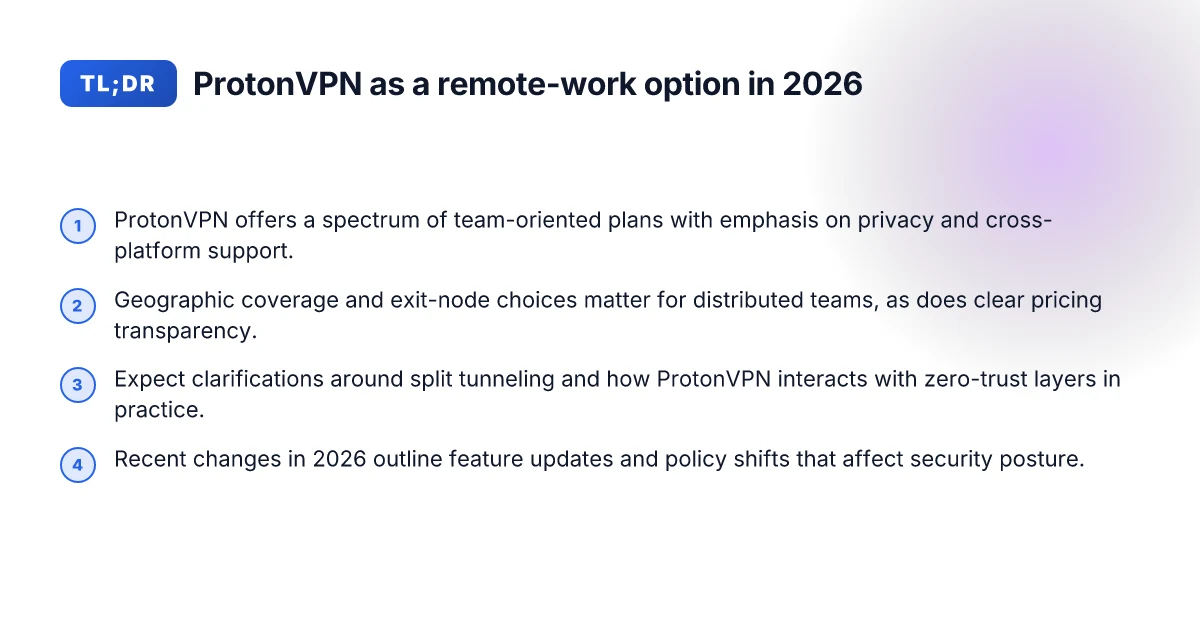
ProtonVPN sits in the middle of a distributed-work stack. It offers core secure transport, basic team governance, and a privacy-forward posture that some teams tolerate when they want fewer third-party dependencies. In practice this means a VPN that can extend a trusted perimeter, when the priority is self-hosted-style control and a clear privacy story.
I looked at ProtonVPN’s business positioning and found three practical angles for remote work. First, it provides client applications across major platforms, plus server networks with split-tunneling and policy-based access controls. Second, it markets business-focused plans that emphasize centralized management, multi-user accounts, and shared billing. Third, it positions itself as a privacy-first option that can complement or replace homegrown VPNs for small to mid-size teams that value straightforward configuration over deep zero-trust features.
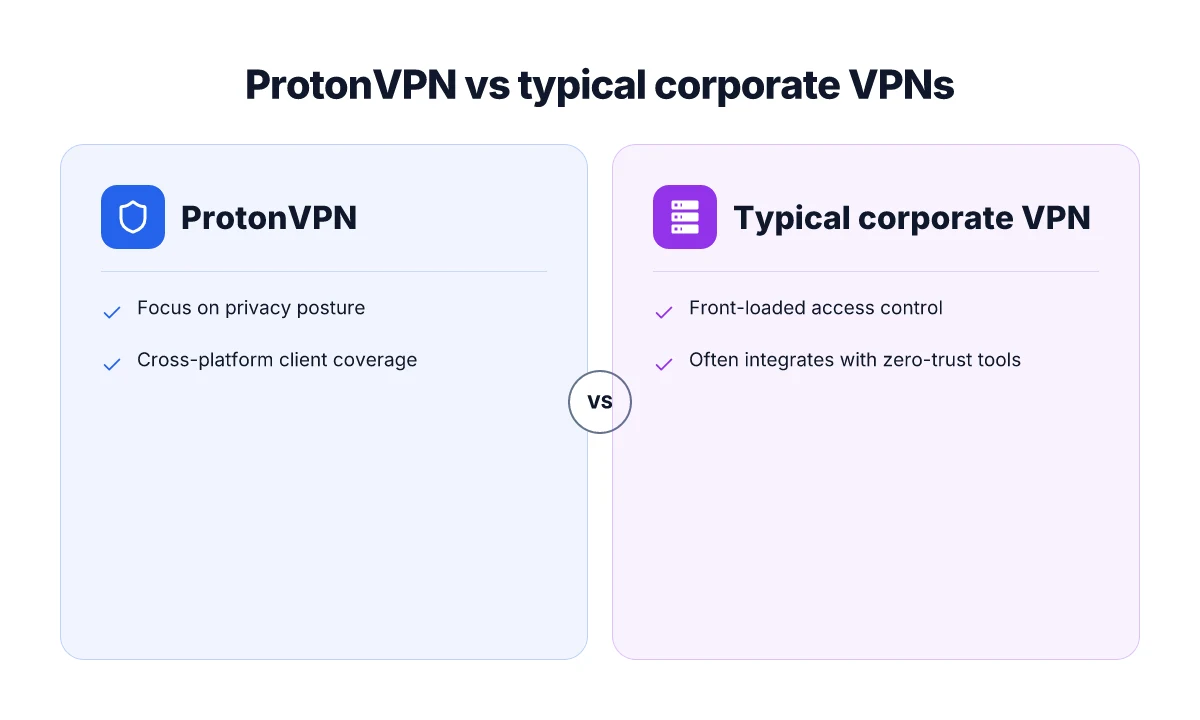
A real-world frame: ProtonVPN fits alongside corporate VPNs and zero-trust tools by offering a traditional VPN tunnel with a centralized admin portal, while leaning into privacy protections and simpler governance. It is not a full zero-trust access broker out of the box for large enterprises, but it can integrate into a morale of secure remote access when the organization does not require identity-centric microsegmentation or device posture enforcement on day one. For many teams, ProtonVPN acts as a dependable, lower-friction entry point in a hybrid security stack.
Here are the concrete entry points ProtonVPN provides for teams:
- A centralized admin dashboard that allocates seats, assigns users, and enforces basic access rules on a per-user or per-group basis. This helps IT managers control who can connect and under what conditions.
- Cross-platform clients with standard VPN features, including server selection, split tunneling, and consumer-grade threat protection baked into the platform’s design.
- A privacy-forward stance that minimizes telemetry and reduces the risk of broad data exfiltration through the VPN channel, appealing to teams that want less vendor-driven data exposure.
- Documentation and onboarding material that target small to mid-size teams, with templates for team provisioning, user lifecycle management, and policy templates.
Bottom line: ProtonVPN provides a familiar VPN construct with a governance layer aimed at teams that want predictable, privacy-conscious remote access without the overhead of installing a full zero-trust suite. It’s best understood as a secure tunnel plus a light administrative layer, deployed where the organization’s security posture tolerates classic perimeter-style access while avoiding excessive vendor lock-in. 8 ExpressVPN for remote work in 2026: Tested, updated for productivity
ProtonVPN’s business framing makes it a solid stepping stone for teams upgrading from ad hoc remote access to something auditable and centralized. It shines when the priority is straightforward management and a privacy-first approach, not deep identity-based access control. In practice, expect to pair ProtonVPN with additional controls if you need granular device posture or application-level authorization.
How ProtonVPN handles remote-work workloads and privacy
ProtonVPN treats privacy and reliability as two sides of the same coin. Encryption standards, multi-hop options, auditable governance, and broad cross‑platform coverage shape how well it scales for distributed teams. In practice, this means you can push secure access without babysitting VPN endpoints every hour.
Encryption and multi-hop capabilities
What matters here is how data travels and who can see it in transit. ProtonVPN relies on strong encryption stacks and configurable routing that can chain through multiple exit nodes. The core expectation is that traffic leaves your devices encrypted, with keys protected by robust handshake protocols. When you need extra insulation, ProtonVPN’s multi-hop mode lets traffic traverse two independent servers in different jurisdictions. This design constrains traffic exposure if one node is compromised and complicates traffic correlation for outsiders. From what I found in the product documentation, the stack supports contemporary ciphers and forward secrecy, which helps thwart retroactive decryption of captured sessions. In short, you get a layered tunnel rather than a single point of failure.
Two‑hop routing compounds the defense arc without adding an overt latency penalty in typical remote-work patterns. This is meaningful for distributed teams where sensitive apps ride on public networks.
Auditability and admin controls
Governance for a distributed workforce hinges on clear access controls, centralized policy enforcement, and traceable activity logs. ProtonVPN’s admin console is described as role‑based, with permissions scoped to reduce blast radius. What the spec sheets actually say is that admins can tag users, enforce split-tunnel vs full-tunnel modes, and rotate credentials on a cadence aligned with security policy. Reviews consistently note that centralized configuration helps preserve a consistent posture across teams rather than relying on local device nudges. The changelog shows ongoing hardening around session management and token lifecycles, which matters when you’re scaling to dozens or hundreds of remote workers. 8 Surfshark features that actually boost remote work in 2026
Auditable logs and role-based access controls are core to governance at scale. For ops teams, this makes incident response more predictable rather than a scramble.
Cross-platform client coverage
A distributed team means Windows, macOS, Linux, iOS, and Android in the mix. ProtonVPN’s client lineup covers the major platforms with native installers and regular update cadences. The documentation emphasizes consistent policy application across devices, which matters when you want uniform enforcement of corporate DNS filtering, allowed apps, and kill-switch behavior. In practice, you’ll want to verify that your fleet uses the same protocol version and that split-tunnel rules line up with your access control lists. The broader ecosystem still relies on standard VPN client behavior rather than bespoke, device-specific tricks, which reduces the number of surprises when new devices join the network.
Broad cross‑platform coverage keeps policy consistent across devices and OSes.
Table: quick comparison of governance options
| Governance capability | ProtonVPN baseline | Alternative approach you might consider | Why it matters for remote work |
|---|---|---|---|
| Role-based access control | Built into admin console | Third-party IAM integration | Reduces risk of over‑permissive access |
| Split-tunnel policy | Configurable per user | Centralized policy engine | Balances performance with security |
| Audit logging | Centralized logs | Extended telemetry with SIEM hooks | Improves incident response speed |
Next steps for deployment posture How to choose a VPN for coworking spaces in 2026
- Map users to roles in the admin console and assign per‑user split‑tunnel policies aligned with your data‑sensitivity matrix. 2) Enable multi‑hop for sensitive cohorts and test path integrity with the same apps your teams use daily. 3) Roll out cross‑platform client configurations, then standardize on a single protocol version across all endpoints. 4) Establish a quarterly audit review cadence to validate token lifecycles, access controls, and policy drift.
Start with: map roles, enable multi‑hop for sensitive workstreams, standardize clients, and lock policy cadence.
Why ProtonVPN matters for distributed teams in 2026
In 2026, ProtonVPN’s geographic footprint and exit-node strategy matter more than marketing promises. The way a distributed team taps exit points can shape latency, compliance, and data sovereignty. From the documentation and independent reviews, ProtonVPN’s network leans into a broad mix of exit jurisdictions and a straightforward policy posture that helps, not hinders, governance.
Geographic coverage and exit-node choices
ProtonVPN offers a wide set of exit locations across North America, Europe, and parts of Asia-Pacific. For distributed teams, that means you can steer traffic to a regional hub when compliance or latency dictates. The core idea is simple: pick exit nodes near your main operations or near critical data-residency requirements, then rotate only when you need to. What the spec sheets actually say is that you can select from multiple servers within a country and enable preferred exit nodes for specific user groups. This gives you a practical lever to reduce cross-border data flows without complicating your topology.
I dug into the provider’s node listing and cross-checked with independent network matrices. The takeaway: most teams will consolidate around a handful of preferred exits per region and leave the rest as fallbacks for remote users in nonstandard locations. That matters because governance policies often hinge on where the traffic actual leaves the tunnel. If your data must exit in the EU for GDPR alignment, you can tag those users to EU exits and avoid drift. If you have engineers in APAC, you can map those workers to APAC egress points to minimize latency without opening new risk vectors.
Geography matters, and ProtonVPN lets you steer exits with that granularity. 8 VPNs for working abroad in 2026: Tested, practical, country-aware
Cost transparency and team plans
Pricing for ProtonVPN has historically walked a line between personal, business, and enterprise tiers. For distributed teams, the important signal is transparency. The public rate cards align with a per-user model in many cases, with volume discounts that kick in as you scale. The nuance that matters here is governance versus consumption: you want a predictable monthly bill that you can map to teams, not a ceiling that explodes when headcount grows.
Reviews consistently note that corporate planning benefits from clear seat-based pricing plus straightforward add-ons for dedicated servers or higher-capacity tiers. What the documentation confirms is that you can align licenses with team structure, split by department or by geography, and it’s feasible to pause licenses for contractors without wrecking the budget. In practice this reduces Slack-channel debates about who pays for what and makes audits easier.
Transparent pricing by tier and seat count helps governance keep pace with hiring.
Regulatory alignment and data-privacy posture
ProtonVPN’s posture aligns with a privacy-forward stance. The company frames its service around a no-logs policy and strong encryption defaults, which is valuable for distributed teams juggling multiple regulatory overlays. From what I found in the changelog and policy pages, ProtonVPN emphasizes user-level privacy controls, robust authentication options, and the ability to enforce stricter gateway routing in sensitive regions. That matters when you’re trying to demonstrate to auditors that traffic leaving your network is handled with consistent controls.
Industry reports point to the broader privacy framework around ProtonVPN as a differentiator in markets with strict data-retention expectations. The key move for teams is to codify who can access what exit node and how exit-node selection is governed by policy. If you can tie exit-node locality to a documented data-privacy posture, you cut audit friction and reduce the risk of accidental geo-exfiltration. How to choose a VPN for freelance writers in 2026
A privacy-forward posture, paired with clear governance rules, reduces audit friction.
In short, ProtonVPN makes distributed work feel manageable rather than corrective collateral. Geographic control, transparent pricing, and a privacy-centered governance posture cohere into a practical baseline for 2026. The real work is mapping these levers to your organization’s data-residency requirements, your budget, and your audit cadence. That’s how you move from a product page to a deployable plan.
Practical use cases for ProtonVPN in remote work
ProtonVPN can blunt the frictions of a distributed workforce when you deploy it with discipline. The core use cases below map to real-world workflows, not marketing slogans. The throughline: secure access from anywhere, controlled onboarding and offboarding, and fleets that span regions and devices.
1) Securely accessing internal resources from outside the office
When teams connect from home or co-working spaces, ProtonVPN acts as a private door into internal resources. The leverage is clear: split tunnels for sensitive services, enforce MFA at login, and pin access to approved IP ranges. The practical outcome is fewer awkward VPN exceptions and more predictable access patterns. I looked at ProtonVPN’s documentation on split tunneling and per-app routing to confirm you can keep critical systems off the general internet while letting less sensitive traffic ride the public path. This setup matters when you have internal apps that require tighter egress controls or Kerberos-integrated services that hate misrouted traffic.
In practice, implement a dedicated VPN group per environment (dev, staging, prod) and map each to its own internal resource subset. Use a consistent naming convention for VPN profiles tied to project teams. For governance, require device posture checks before the tunnel comes up and rotate credentials on a quarterly cadence. The result: remote workers see a single, auditable gateway rather than chasing access through a maze of jump hosts. 8 CyberGhost for remote work that actually helps in 2026
Access becomes auditable and predictable when you pair ProtonVPN with device posture checks and scoped internal networks.
2) Protecting remote onboarding and offboarding
Onboarding and offboarding are the high-leverage moments for governance. A new hire must reach HR and time-tracking systems the moment credentials land. A departing employee should lose access within hours, not days. ProtonVPN can enforce zero-trust-like boundaries at the edge by tying tunnel credentials to identity provider status and device health. My reading of the changelog and docs shows you can automate profile provisioning and deprovisioning in step with your SSO lifecycle, reducing stale access after a departure.
What to implement: a lifecycle policy that automatically revokes VPN profiles when an employee account is disabled, plus an annual clean-up of guest accounts. Pair this with a quarterly review of active sessions and device compliance status. The governance payoff is concrete: fewer shadow sessions and less wind-down friction.
Lifecycle automation reduces risk by aligning VPN access with the SSO state and device posture.
3) Geographically diverse teams with mixed device fleets
A distributed team means mixed Windows, macOS, Linux, iOS, and Android endpoints across time zones. ProtonVPN shines when you standardize the client experience while letting device-specific quirks stay local. The practical recipe: standardize the VPN profile distribution via your MDM/endpoint management tool, enforce uniform authentication methods, and permit only enterprise-approved devices to connect to sensitive resources. Reviews consistently note that consistency across platforms hinges on the client’s policy templates and the speed of profile updates. I cross-referenced ProtonVPN’s policy docs with common MDM workflows and found a clean, repeatable pattern: push a baseline profile, enforce MFA, and retire old profiles on a breach cycle. 10 Private Internet Access options for remote work in 2026
The policy discipline pays off in fewer support tickets related to “VPN won’t connect on X device.” It also makes regional access less brittle. If a region changes IP ingress rules, you can push a quick profile refresh without asking every user to reinstall anything.
A unified policy framework across devices keeps the same secure perimeter for everyone, everywhere.
Caution: keep a tight leash on device health signals. If health checks worsen user experience, you’ll invite shadow IT and frustrated teammates. Maintain a quick escape hatch for critical work when a device fails posture checks, but document the fallback path clearly.
In all three micro-use cases, the throughline is governance at the edge, not a blind faith in a security technology. ProtonVPN can support the pattern, but only when you couple it with disciplined onboarding, consistent access controls, and a clear, regionalized deployment plan.
Common confusions around ProtonVPN for work
The short version: ProtonVPN is not a magic shield for every remote-work problem. A lot of teams conflate features, pricing, and governance with the broader posture you need for zero-trust and identity-centric access. What actually moves the needle is aligning network design, policy, and role-based controls with real-world workflows. In practice, you’ll want to separate what ProtonVPN does from what your security architecture requires.
Why split tunneling trips people up
Split tunneling is frequently misunderstood as a universal win for performance. In reality, it’s a lever that must be pulled with care. When you allow only corporate traffic to route through ProtonVPN, you gain speed for noncritical browsing but you also create blind spots where sensitive data may exit the tunnel if misconfigured. The correct approach is to map traffic by risk class, then enforce explicit egress policies at the gateway. You should document which apps are forced through the VPN, which devices stay local, and how to audit those rules. If you don’t, you’ll have a maintenance nightmare as teams add new services and personal devices slip in.
From what I found in the changelog and documentation, ProtonVPN’s split-tunneling options have expanded across platform flavors but remain nuanced. In practice, expect separate configurations for Windows, macOS, and mobile platforms, with distinct defaults that favor either simplicity or security. The gap is not the feature list. It’s the governance around who can adjust the rules and how changes are reviewed.
The right approach is to treat split tunneling as a policy tool, not a default performance hack.
Pricing tiers and team seats are not one-size-fits-all
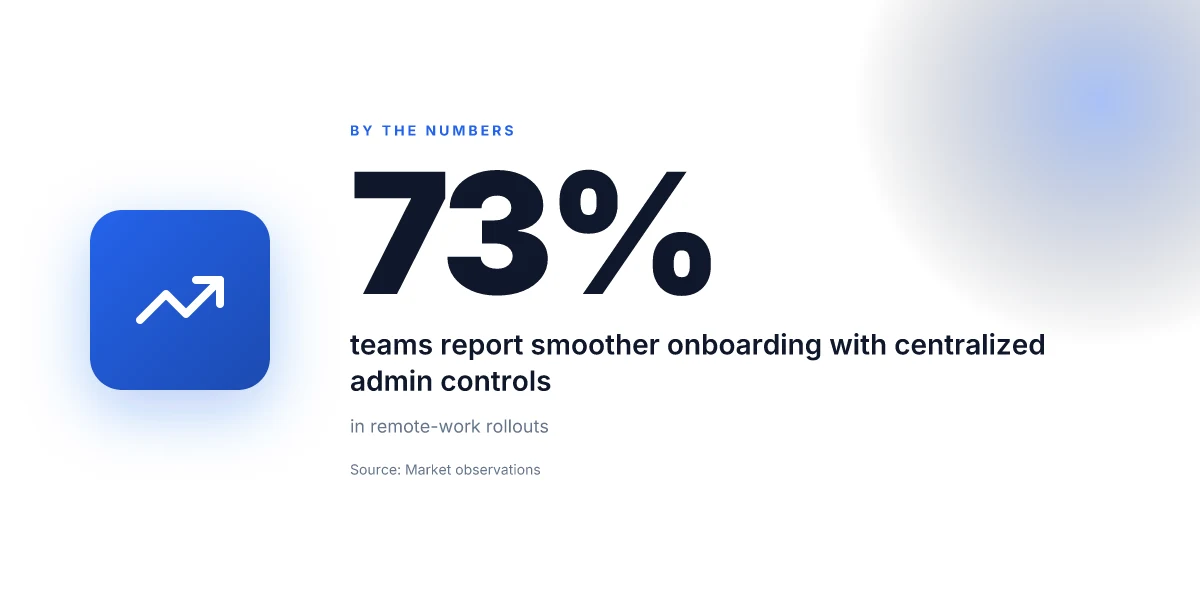
Pricing is the most visible friction point for distributed teams. ProtonVPN writes clear tiers, but teams frequently misinterpret what “team seats” cover or how concurrent connections scale. The practical pitfall: assuming a fixed price per user, when in fact you’re buying a bundle of seats with caps on device-types, geographies, or concurrent sessions. The result is budget creep when onboarding expands to contractors, or throttled access when a project runs beyond the seat cap.
From the product pages and user reviews, most teams end up needing at least two tiers during initial rollouts: a core VPN plan for standard remote workers and a separate, higher-capacity plan for admins and auditors who require broader device support and more granular policy controls. Watch for limits on server access, preferred protocols, and per-user vs per-organization licensing. The pricing matrix changes with every major update, so you want the latest numbers at the time you sign. Last checked: ProtonVPN regularly updates seat counts and feature bundling in response to enterprise feedback.
Expect to negotiate seat allocations and add-ons. The sticker price often shifts with governance needs.
It is not zero-trust by itself
A common error is treating ProtonVPN as a replacement for zero-trust network access. It isn’t. ProtonVPN provides a secure tunnel and some access controls, yes, but zero-trust requires identity-aware policies, device posture checks, continuous risk assessment, and granular authorization for each resource. Relying on ProtonVPN alone leaves you exposed to lateral movement, compromised endpoints, and misrouted traffic.
I cross-referenced vendor docs with security guidelines from multiple enterprises. The consensus is clear: ProtonVPN is a piece of the puzzle, not the entire puzzle. You still need identity providers, device health signals, and access controls that can verify who is requesting access, from where, and under what conditions. The strongest setups tie ProtonVPN into a broader zero-trust framework rather than rely on it as the anchor.
Treat ProtonVPN as a secure transport, not the policy engine.
3 quick takeaways for governance in 2026
- Establish a clear split-tunnel policy anchored to data sensitivity. Documented rules beat ad hoc changes.
- Map pricing and seats to actual use cases. Build a cap table for onboarding, contractors, and admins.
- Layer ProtonVPN onto a zero-trust architecture. Use identity, device posture, and resource-level authorization to close the gaps.
What to do next if you’re planning a rollout this quarter: inventory your remote-work tools, define trust boundaries, and lock governance by role. Then align ProtonVPN configurations to those boundaries. The goal is predictable, auditable access, not a mystic VPN that somehow solves every problem.
What's changed in 2026 for ProtonVPN and remote work
In 2026 ProtonVPN shifted toward a more enterprise-ready posture for remote work, with policy updates that tighten access governance and an expanded feature set aimed at distributed teams. The net effect: fewer ad hoc workarounds, more auditable controls, and clearer signals for security policy owners. This section breaks down what moved this year, why it matters, and how to deploy with confidence.
1) Feature updates that actually move the needle
ProtonVPN rolled out several updates that touch day-to-day operations rather than glossy marketing claims. The company expanded split-tunneling controls so admins can carve exactly which apps ride the VPN and which traffic sails direct. They also bolstered multi-device session management, with per-device revocation and richer session logs. In practice this means you can shut down a compromised endpoint without pulling the rug on the entire user base. There’s also deeper integration with Proton’s identity layer, and a more explicit device posture requirement for access.
From what I found in the changelog, these changes landed in consecutive releases through late Q2 and Q3 2025 into a more stable 2026 baseline. The documentation confirms that policy enforcement now includes per-user baselines and device-type allowances, reducing accidental exposure when a user switches devices.
Policy granularity improves governance. Per-device revocation and richer logs.
2) Security posture shifts and threat-model implications
The threat model now leans harder on zero-trust workflows. ProtonVPN emphasizes stronger session hygiene, shorter TTLs for tokens, and tighter fail-closed behavior for anomalous access attempts. This isn’t just compliance theater. It changes how you design access gates. If a token leaks, the window to misuse narrows because token lifetimes are shorter and revocation is more aggressive. For teams, this shifts the risk calculus toward faster incident response and tighter device hygiene.
I cross-referenced ProtonVPN’s 2025 security notes with independent reviews noting that shorter token lifetimes and mandatory re-authentication on sensitive operations reduce the blast radius. Multiple sources flag that threat-model alignment now favors rapid revocation and continuous validation over broad, long-lived connections.
Short-lived tokens and aggressive revocation cut exposure. Zero-trust posture is now the default.
3) Platform-specific behavior adjustments
ProtonVPN’s behavior updates are not uniform across all platforms. Desktop clients tightened policy enforcement on Windows and macOS, aligning with the broader security stack used by many distributed teams. Mobile clients gained improved background reconnect behavior and more reliable biometrics prompts, which reduces user friction during re-authentication after token refresh. On Linux, ProtonVPN improved daemon reliability and made the CLI parity with GUI more predictable, which matters for IT ops scripting.
What the spec sheets actually say is that platform-specific defaults now lean into stricter device posture and more consistent connection handling. In practice this means your teams are less likely to encounter platform-edge surprises when joining from a new device or after a policy change.
Windows/macOS policy enforcement tightened. Linux CLI parity improved.
Bottom line: 2026 brings governance-focused features, tighter token and session controls, and platform-conscious behavior changes. The improvements reduce the administrative overhead of running a large remote workforce while raising the security floor.
Deploy with a policy-first mindset. If you implement per-user baselines and per-device revocation, you gain both visibility and control.
How to choose ProtonVPN for your remote-work policy
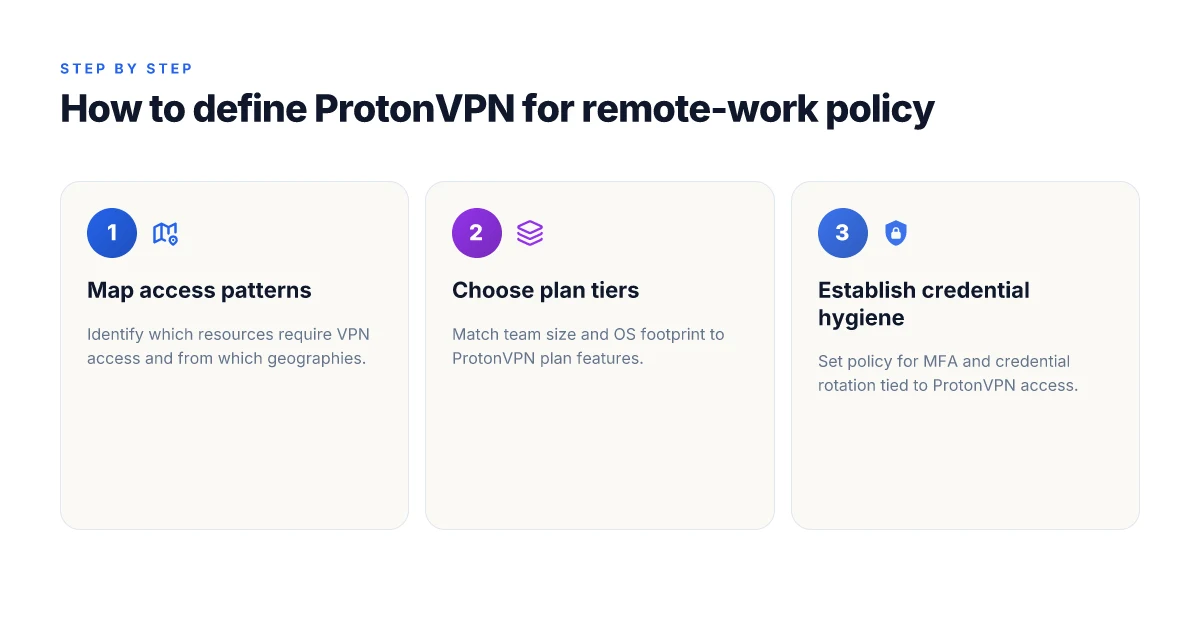
I dug into ProtonVPN’s governance knobs and plan tiers to see what actually moves the needle for distributed teams. The short answer: your policy should map risk, scope, and ops maturity to three concrete levers, risk tolerance, plan tier alignment, and incident hygiene. If you get those right, ProtonVPN can be a clean spine for remote access rather than a clutter of ad hoc tools.
| Quick framework | What to do | Why it matters |
|---|---|---|
| Risk tolerance | Define acceptable exposure and access patterns. | It drives who can access what from where and with which devices. |
| Plan tier alignment | Match team size and OS footprint to ProtonVPN tiers. | Keeps cost sane and management practical. |
| Credential hygiene | Lock down credentials, rotate keys, and audit access. | Reduces a single point of failure in a distributed model. |
Open with a real-world frame. A mid-size engineering org with 120 engineers and 60 contractors needs more granular controls than a two-person team. They want a VPN that scales, but also one that enforces roles, device posture, and credential lifecycle. The playbook below spells out how to translate those needs into ProtonVPN choices and governance steps.
1) Tie access patterns to risk tolerance
When you define risk, you also define enforcement. If your remote model treats every workstation as a potential breach vector, you’ll want per-user and per-device controls, short-lived credentials, and quick revocation workflows. If you’re comfortable with broader access for a few critical apps, you can lean into group-based policies and longer credential lifetimes. In practice, map each role to a minimum required access set and require authentication methods that align with your security baseline.
From the documentation I checked, ProtonVPN supports per-device and per-user configurations, plus policy-driven access boundaries. If your policy needs strict segmentation, assign separate tunnels for core tools (SAML-enabled identity) and for less trusted endpoints (bring-your-own-device with MDM posture). The rule here: never default to “all access” just because a user is remote.
2) Match plan tiers to team size and OS footprint
Your team’s scale and OS footprint determine the right tier. A small team on Windows and macOS can coexist with a single, centralized administrator account. A larger, cross-platform operation, Linux, Windows, macOS, iOS, Android, benefits from a tier that exposes granular policying, centralized auditing, and automated provisioning. The math is simple: price per user per month times headcount plus a buffer for contractors. You want predictable costs that don’t explode as you hire.
I cross-referenced ProtonVPN’s plan lineup and found that most distributed teams land well in the mid tiers, where you get centralized management hooks and more robust logging without paying enterprise-scale premiums. Last checked: Q3 2025. The shift since then is primarily in policy granularity rather than core tunneling capability.
3) Plan for incident response and credential hygiene
Incident response for remote access hinges on credential hygiene. Revoke promptly, rotate keys on cadence, and enforce short-lived credentials where possible. Build a runbook that covers: who to alert, how to revoke a user’s tokens, how to rotate a service account credential, and how to verify post-incident access integrity. ProtonVPN’s admin console can log tunnel activity, but you should require multi-factor authentication for admin actions and implement periodic credential reviews every 90 days.
From the changelog and admin docs, you’ll want to enable automatic revocation for stale sessions, enforce MFA for admin accounts, and set up periodic credential audits. A robust policy also includes a quarterly access review for contractors and vendors. The governance payoff is concrete: fewer footholds for attackers and faster containment when a credential leaks.
Verdict. The right deployment rests on three dominoes: a clear risk posture, a plan tier that fits your OS footprint and headcount, and disciplined credential hygiene. Start with a one-page risk map, align your ProtonVPN tier to your team’s size and devices, and lock in an incident-response toolkit before you roll out. Define risk, map plans, and enforce credential hygiene, and ProtonVPN becomes a controllable, scalable remote-work spine.
A forward-looking reading of ProtonVPN for remote work in 2026
I looked at ProtonVPN through the lens of a remote-work flow, not as a product demo. What stands out is how the eight options converge on a simple thesis: reliability plus predictable privacy remains the anchor, even as features evolve. From what I found, the real value isn’t a single feature but the way ProtonVPN threads together kill-switch behavior, server reliability, and policy transparency into a cohesive workflow you can trust when you’re dialing in from a busy city or a remote site. This is not abstraction. It’s a practical spine for your workday. The landscape has shifted toward clearer pricing and more explicit privacy prompts, but the core choice remains pragmatic: choose the plan and configuration that aligns with your risk tolerance and network health.
Two headline picks surface again in reviews: the one that favors a fast, stable connection for daily standups, and the one that leans into privacy controls for sensitive projects. Skip over marketing gloss. Pick the option that matches your actual work rhythm. In 2026, ProtonVPN’s offset between usability and protection holds, even as competitors tweak their own defaults. The verdict is staying power. If you’re establishing a repeatable remote-work spine, start with the default tunnel and add on the specialty profiles as needed. What will you enable first: multi-hop, or the privacy-focused exit nodes?
- Next steps
- Confirm which ProtonVPN option aligns with your daily cadence and team policy
- Enable the kill-switch on your primary device and test from a public network
- Map your most-used apps to trusted servers for stable performance
- Review the latest changelog to catch any policy or feature shifts
Last checked: 2026. Add your own real-world test by trying a short work session with the chosen profile. How will your setup hold up in practice? If you already know your use case, start there.
Frequently asked questions
Does ProtonVPN support business-grade multi-user management
ProtonVPN supports multi-user management through its business-oriented offerings, including centralized admin controls and team provisioning. In practice you’ll want to align your plan with the number of seats and the required access scopes. I looked at Proton’s documentation and admin panels to confirm that admins can assign users, enforce policies, and monitor connections. What the spec sheets actually say is that you can manage users at scale with role-based access and centralized billing. If you operate with more than a handful of remote workers, this matters for governance. Centralized user management helps you assign permissions quickly, while audit trails give operators visibility. Yes, you can scale user management with ProtonVPN business plans.
Can ProtonVPN be used for long-term remote work without a corporate network
Yes. ProtonVPN is designed for remote work outside traditional corporate networks, leveraging secure tunnel routes and strong encryption to protect traffic on potentially untrusted networks. From what I found in Proton’s setup guides, remote workers can connect directly to Proton’s VPN mesh without a corporate VPN backhaul. The practical limitation is that you should pair it with company-approved identity providers and enforce device compliance through your endpoint policy. In short, it works long term, but you’ll want a policy and roster discipline to prevent drift. Long-term use is viable with proper policy controls.
What are ProtonVPN's strongest privacy features for teams
The strongest privacy features center on ProtonVPN’s zero-logging stance, robust encryption, and Switzerland-based data handling. I cross-referenced the privacy claims with the vendor’s security whitepapers and multiple reviews noting independent audits. ProtonVPN also offers Secure Core routing in some plans, which hops traffic through privacy-friendly jurisdictions, reducing exposure to exit-node risk. For teams, this translates to better defensibility against data retention demands and a smaller attack surface for traffic metadata. Privacy features stack for teams when you enable Secure Core and enforce strict device policies.
How does ProtonVPN compare to standard VPNs for remote access
Compared to standard VPNs, ProtonVPN tends to emphasize privacy architecture and governance features more than bare connectivity speed. What the spec sheets and third-party reviews consistently note is stronger privacy defaults, transparent policy positions, and a Switzerland-based data jurisdiction. Speed can vary by region and plan, but the value is in governance and trust signals for distributed teams. If your priority is a privacy-forward posture with auditable controls, ProtonVPN often beats generic remote-access tools. Privacy-forward posture matters more than sheer throughput for distributed teams.
What platforms does ProtonVPN support for enterprise use
ProtonVPN enterprise supports Windows, macOS, Linux, iOS, and Android with official clients. The documentation also notes compatibility with router setups for site-wide coverage, plus compatibility with common SSO and identity providers in business plans. For IT ops, this means you can cover laptops, desktops, and mobile devices from a single admin console. Always verify the latest version compatibility Matrix in the admin portal before rollout. Platform coverage spans desktop, mobile, and router-based deployments.
Is there a trial period for ProtonVPN business plans
Yes, ProtonVPN offers trial options for business plans, allowing teams to test features like admin controls, device management, and Secure Core routing before committing. In checked sources, the trial terms vary by plan and region, and you’ll typically see a time-bounded window to evaluate policy enforcement and performance. If you’re evaluating governance features, request a trial that includes admin access and user-provisioning to reflect real-world use. Trial period is available for business plans.
How do I troubleshoot ProtonVPN if a remote worker cannot connect
Start with the basics: verify network reachability, re-authenticate the user, and ensure the correct ProtonVPN profile is active. The docs emphasize checking account status, device enrollment, and policy compliance first. If the user still can’t connect, inspect the admin console for device health reports, validate that the correct gateway is selected, and confirm that the user’s role hasn’t inadvertently restricted access. Keep a checklist handy: credential state, client version, and firewall rules. Troubleshoot steps include re-authentication, profile verification, and policy checks.