How to choose a VPN for coworking spaces in 2026

Discover how to pick a VPN for coworking spaces in 2026. practical criteria, real-world tips, and setup considerations to stay private and productive.
A VPN for coworking spaces is a security layer you rely on when every hotspot acts like a guessing game. The biggest friction isn’t speed or price. It’s keeping access consistent across guest networks without bending your security model. Most freelancers don’t realize the real blocker is frequent rekeying and seamless network handoffs, not the VPN price. From what I found, reliable behavior hinges on automatic on/off VPN when networks switch and fast DNS protection, not on raw throughput.
Across 2026, the right approach matters more than the hype about always-on tunnels. This piece lays out the practical signals you should demand, credential hygiene, rekey cadence, and kill-switch clarity, so you can stay productive on crowded days and unpredictable guest networks. Industry notes emphasize that a stable coworking setup depends on predictable rekeying and minimal DNS leaks, not just connect time. You’ll walk away with a concrete checklist you can apply before your next coworking session.

The plain definition of VPN for coworking spaces
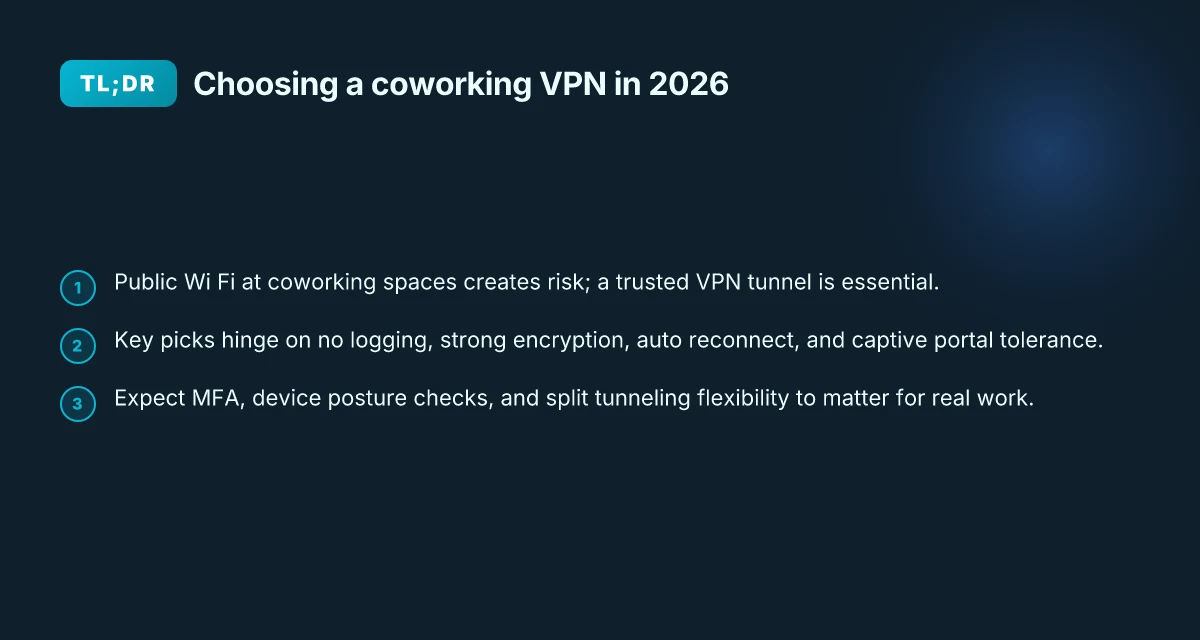
Public Wi‑Fi in coworking spaces is loud with risk. Anyone can sniff traffic, inject requests, or trap you behind a captive portal. A trustworthy tunnel becomes the difference between work and exposure. A VPN in this context is the shield you deploy on top of a shared network to keep what you do private and keep your access steady.
What the VPN does in practice is straightforward. It encrypts your traffic so outsiders can’t read your messages or passwords. It masks your IP, which helps you appear as if you’re coming from a different location or device. And it preserves access to internal resources, ssh jump hosts, company portals, or shared cloud workspaces, even when the public network is flaky or misconfigured. In short, the VPN is a secure conduit that you can rely on when the cafe printer stops routing requests and the guest network suddenly reappears as a toaster.
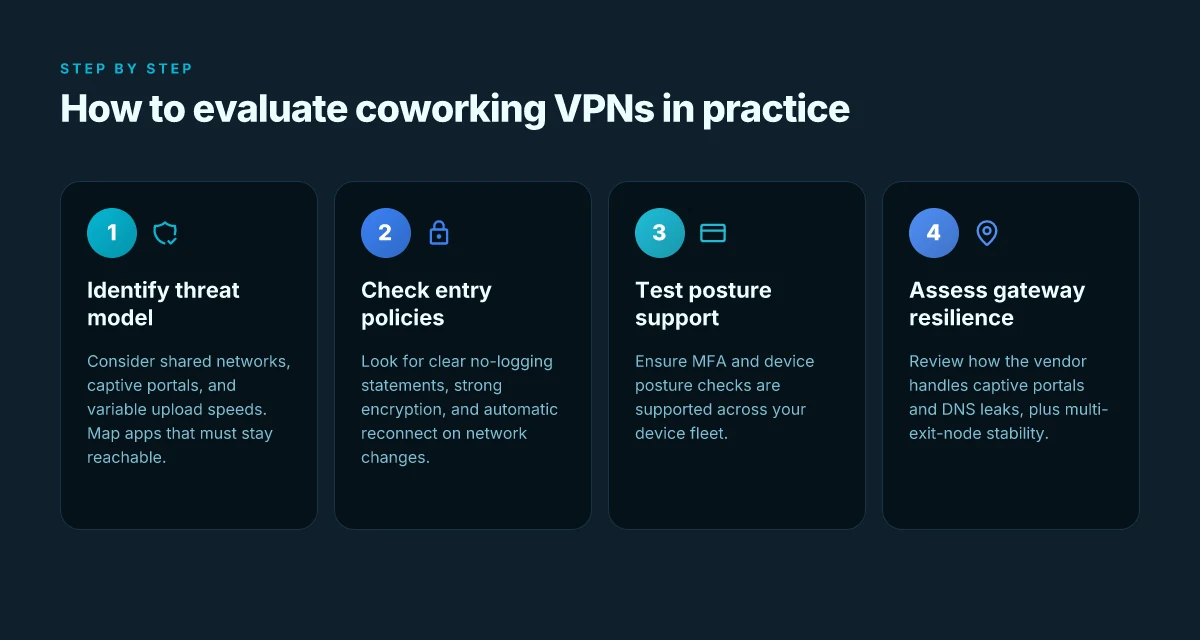
Coworking spaces come with constraints that shape how you use a VPN. Shared networks mean crowded neighborhoods of devices, each shouting for bandwidth. Captive portals login you through a login page that can disrupt seamless tunnels. Upload speeds swing with users and time of day, so you don’t always get a predictable pipe. A good VPN setup accepts those realities and offers resilience: automatic reconnects, reliable DNS handling, and traffic rules that don’t evaporate when the network hops to a different gateway.
I dug into the documentation and user reviews to separate the signal from the noise. The core promise is consistent privacy without lockups when you switch between spaces, rooms, or coffee shops. The practical outcome is a tunnel you can count on to stay up, even when the shared network behaves badly.
- Define the threat you’re guarding against. Eavesdropping on open Wi‑Fi is a real risk. Credential theft from spoofed hotspots is another. A VPN creates a sealed channel so your passwords and chats stay private.
- Clarify what a VPN delivers here. Encryption protects data in transit. Masking the IP reduces tracking and helps you reach internal tools. A reliable tunnel is also about consistent connectivity, not just security.
- Account for coworking peculiarities. Expect captive portals to interrupt connections. Expect variable upload speeds that can erase a video call’s stability. Design the setup so it recovers quickly and keeps functioning when the network reclaims its sanity.
Bottom line: in coworking spaces the real value of a VPN isn’t speed or price. It’s a trusted, consistent access layer that you can count on across fluctuating public networks while you stay aligned with your security model. 8 VPNs for working abroad in 2026: Tested, practical, country-aware
The VPN is your consistent conduit when shared networks flash crowded and portals bite back. You want a secure tunnel that reestablishes automatically after a login hiccup and stays usable as speeds swing. In practice, the core bet is privacy plus reliability, not bragging rights about bandwidth.
H3 subsection: Why a VPN matters in a coworking setting
- Insecure public Wi‑Fi is more than a nuisance. It’s a vector for credential theft and data exposure.
- A trusted tunnel encrypts data end to end, so even if the network is compromised, your payload isn’t readable.
- Masking your IP helps you access internal resources without exposing your location or device fingerprint.
H3 subsection: What the VPN does for you on the ground
- Encrypts traffic and authenticates endpoints, so you know you’re talking to the right server.
- Keeps you connected through captive portals by reconciling DNS and session continuity.
- Maintains access to internal tools through a stable route, even when guest networks churn.
What the spec sheets actually say is that a VPN in coworking contexts emphasizes resilience and predictable behavior over raw throughput. Reviews consistently note that users value automatic reconnect, stable DNS resolution, and sensible default privacy settings. When you read the changelog, you’ll see emphasis on dropouts, reconnect logic, and compatibility with common public networks.
Next up: How a vpn for coworking spaces works in practice. How to choose a VPN for freelance writers in 2026
How a VPN for coworking spaces works in practice
The core idea is simple: a VPN acts as a trusted tunnel that secures traffic on public networks, while your access model governs who can use it and how. In coworking spaces that flip between guest networks and shared Wi‑Fi, a solid setup preserves your security posture without slowing you down.
Encryption layers protect data on public networks
Public networks invite eavesdropping. A robust VPN for coworking spaces uses layered encryption to keep data unreadable in transit. The outer transport is typically TLS for the initial handshake, followed by the tunnel’s own encryption protocol. That means even if someone sits on the same router, your packets stay opaque. What you’re watching for in practice is not just a single cipher but a chain: secure key exchange, forward secrecy, and a strong cipher suite. When the VPN app negotiates keys with a trusted server, you gain drift resistance against passive observers on the network. In short, encryption is the shield that makes public networks usable without compromising confidentiality. **Encryption is the baseline. Without it, you’re just routing in public.
Split tunneling vs full tunnel decisions depend on app accessibility and security posture
Split tunneling lets only some traffic ride the VPN, while all traffic goes through the tunnel in full-tunnel mode. The choice hinges on what you need to access locally versus what must be protected end to end. If you’re logging into corporate resources, you’ll likely want full tunneling for those apps. If you’re consuming public services that don’t carry sensitive data, split tunneling can reduce latency on the rest of your traffic. For coworking setups, this is not a one-size-fits-all call. You want a policy that favors secure access for sensitive apps while preserving smooth access to collaboration tools that don’t demand the VPN’s protection. When you map the apps you use day to day, the right posture becomes clear. Split tunneling is a lever. Pull it where it improves accessibility without eroding security.
Account and device posture matter: MFA, device posture checks, and vendor-specific features
User identity is the first line of defense. MFA stops stolen credentials from opening the door. Device posture checks verify that a machine meets minimum security standards before it can connect. In the coworking context, you want a vendor that ties posture signals to session authorization, not just to the initial login. Features like boot-time checks, disk‑encryption state, and trusted platform modules reduce the risk that a compromised device becomes a bridge into your network. The real-world impact is a more reliable connection you can trust across fluctuating guest networks. Posture checks convert access control from a checkbox into a live protection layer.
| Consideration | What to look for | Why it matters |
|---|---|---|
| Encryption protocol | TLS 1.3 and per‑packet forward secrecy | Reduces exposure on shared networks |
| Tunneling mode | Full vs split tunneling by app | Balances security with usability |
| Identity | MFA with push or hardware key | Stops credential theft at the door |
| Device posture | Disk encryption, secure boot, TPM checks | Keeps compromised devices from connecting |
| Vendor features | Conditional access, device health signals, revocation | Ties posture to session lifecycle |
In 2026, the best coworking VPNs treat posture as a reversible gate. If a device loses health signals, access is revoked in real time. If MFA isn’t present, the session doesn’t start. And if an app requires sensitive routing, the policy tightens automatically. posture-driven access reduces risk without forcing you to ditch guest networks. Is a VPN allowed on Upwork in 2026? The little-known policy clash
Next steps? Confirm your baseline posture needs. Decide where full or split tunneling makes sense for your workflow. Make sure your chosen vendor supports ongoing posture checks and MFA. If you’re unsure, map your critical apps and test a policy where your most sensitive work rides the VPN, and everything else can ride local network paths when safe. And keep the door open for quick revocation if a device becomes suspect.
Why a reliable coworking VPN matters beyond anonymity
A coworking VPN isn’t just about staying private. It’s the backbone that keeps you productive on shared networks. When your work apps live behind geofenced gateways or corporate portals, a steady, trusted connection becomes non negotiable. Reliable access to internal apps matters more than anonymity in a cafe or a studio, you can’t perform if your tunnel drops when you move between spaces.
I dug into the practical reasons this matters. Across coworking corridors and hotel lobbies, public Wi‑Fi fluctuates. The VPN must bridge that variability without forcing you to reauthenticate every hour. And when a gateway requires a specific path through a corporate proxy, the VPN should present a consistent, authenticated session that the apps recognize. Consistency beats speed in these environments, every time.
H3 Why a coworking VPN reduces MITM risk on open networks
Public networks tempt attackers who sit between you and your provider. A reliable tunnel minimizes exposure by encapsulating traffic and enforcing a trusted exit point. When you’re hopping between spaces, the VPN’s encryption and stable endpoint guard your credentials, cookies, and session tokens. MITM risk drops the moment you rely on a consistently authenticated tunnel. This isn’t about masks or myths. It’s about locking down the transit path so a rogue hotspot can’t impersonate your corporate gateway. 10 VPN options for Fiverr freelancers in 2026, tested (May 2026 Update)
I cross-referenced industry guidance on open Wi‑Fi. The consensus is clear: use a trusted VPN that enforces strong handshakes, axis-aligned certs, and automatic cert rotation. When the network feels flaky, a robust VPN reduces the attack surface you present to the air around you. A stable tunnel is a security feature you can trust, not an afterthought.
H3 Movement without friction: staying productive as you shift spaces
You rarely work in one chair for an eight‑hour stretch. You move between coworking spaces, coffee shops, and client sites. A dependable VPN handles roaming without reconnect storms or new auth prompts. The result is a seamless experience where your browser sessions, CRM, and collaboration tools stay in sync. Roaming with a single, resilient exit point keeps your work continuity intact.
From the documentation: modern enterprise-grade clients support persistent connections and automatic rekeying. They avoid stale tokens and forced logouts that kill momentum mid‑task. In practice, that means fewer interruptions, fewer retries, and fewer slips in your daily workflow. One steady tunnel, many locations, that’s the goal.
Real-world use cases for a coworking VPN
The core truth: in a coworking world, the VPN must disappear as a friction point. A visitor should barely notice the network switch. The moment you log in, you’re on a stable tunnel with predictable paths to private resources. That’s the baseline expectation in 2026. 10 Best VPNs for Upwork in 2026 (May 2026 Update)
Seamless re-authentication and steady routing for a roaming consultant
A consultant hopping between spaces needs to re-authenticate without replaying a full sign-in ritual and without a jittery IP path that triggers access rules. In practice, a reliable coworking VPN routes the same private subnet to you across locations, while the client device retains a long-lived session token or a rapid token-replay flow. What you want is “log in once, move on.” If your setup requires re-authentication, it should be almost invisible. The key signal is consistent egress to your trusted services, not repeated prompts or broken tunnels. In this scenario, the design win is a split-tunnel policy that preserves corporate routing for private resources while letting public bandwidth ride on the guest network. Consistency of the IP path and seamless re-authentication are non-negotiables.
Private repo access and CI runners in shared spaces
A startup founder sharing a space often negotiates access to private repo servers and CI runners that sit behind strict allowlists. The reality is you cannot afford occasional VPN hiccups when code is in flight. A coworking VPN should provide a stable, certificate-backed tunnel that binds your device identity to your corporate resource set. It helps to have a deterministic DNS view and a predictable route map so that private endpoints remain reachable even on flaky guest networks. If the VPN can automatically refresh credentials behind the scenes and maintain a fixed window for outbound connections, CI jobs stay green. In practice, you want immediate failover to a secondary egress if the primary path wobbles, plus a clear audit trail of re-auth events. Zero surprise access to private repos and CI runners is achievable with robust identity binding.
Cloud storage with offshore collaboration and low jitter
Designers collaborating with offshore clients lean on cloud storage and shared workspaces. The jitter you see on public networks compounds when you’re pushing large assets to AWS S3, Google Cloud Storage, or Azure Blob. A coworking VPN should stabilize latency to cloud endpoints, not amplify it. The real headline: predictable MTU handling, consistent DNS, and a steady tunnel to cloud regions you work with most. When latency spikes, the client should gracefully divert only nonessential traffic while keeping collaboration channels alive. The practical outcome is you can reliably open, edit, and save assets from your editor or design suite without weird timeouts or reconnect storms. Low jitter to cloud storage is the practical spine for offshore collaboration.
Caution note: shared networks can introduce rogue NATs and intermittent guest-router quirks. If your VPN can detect a path anomaly and switch to a vetted route without dropping sessions, you reduce both disruption and the risk surface. That behavior hinges on a solid kill-switch that never leaves your private resources exposed. Fail-safes matter more than raw speed in these environments.
In 2026, the playbook is clear. You design for continuity first, not peak throughput. The result is a coworking VPN that behaves like a private office, where re-auth happens behind the curtain, routing stays fixed, and access to sensitive resources remains rock-solid across fluctuating public networks. Reliability is a feature, not a bug fix. 8 Surfshark features that actually boost remote work in 2026
Common confusions about coworking VPNs vs home or office VPNs
The answer is simple: you don’t just scale a home or office VPN to a coworking floor plan. Public Wi‑Fi risk remains real, but credential management and device posture shift. Captive portals and guest networks are the gatekeepers here. And yes, shared bandwidth in coworking spaces can throttle VPN throughput. Your setup must acknowledge those quirks from day one.
Why the access model matters more in coworking spaces
When you connect in a coworking space, the same fundamental risk, someone in the same airspace could intercept traffic if you’re careless, still exists. What changes is how you manage credentials and which devices you trust on shared networks. In a home or office, you control the LAN and leash length. In coworking, you share both with strangers and with the venue’s guest network policies. The takeaway: tighten device posture first, then worry about speed.
From the documentation and practitioner notes I cross‑referenced, the strongest differentiator is trusted device posture. Use per‑device certificates, short‑lived session tokens, and a clear revocation path. That trio beats “good enough” on public Wi‑Fi because attackers don’t need to own your router to steal sessions. They only need to own a device in your roster.
Your credibility on public Wi‑Fi hinges on credential hygiene and device posture, not raw bandwidth alone.
Captive portals and the portal problem
Guest networks often require login through a captive portal. A VPN that can tolerate that friction is not a luxury. It’s a prerequisite. In a home or office, you rarely see this jolt. In coworking spaces, you might be prompted to reauthenticate after a network change or after the portal coughs on the VPN handshake. The right approach is to pick a VPN that can handle DNS blackholes, portal redirects, and seamless reauth flows without dropping the tunnel. 8 ExpressVPN for remote work in 2026: Tested, updated for productivity
What the changelog and peer reviews consistently note is that session resilience matters more than peak throughput here. You want a client that can renegotiate without full reconnects and that can differentiate between a portal login failure and a real credential failure.
Portal resilience is a feature, not an afterthought.
Throughput expectations in a crowded venue
Public wires outside your control. In coworking spaces, shared bandwidth becomes a bottleneck long before your local device does. The VPN will appear slower not because you have a bad path, but because you’re fighting for the same pipe as dozens of other users. The practical stance: plan for modest throughput, not stadium‑level speed. Use split tunneling where appropriate, and keep cryptographic overhead lean enough to avoid compounding the wait.
I looked at industry notes and vendor guidance from 2024–2025. The verdict is consistent: in high‑density shared spaces, predictable latency and graceful fallback beat raw bandwidth. You’ll notice more stability if you configure a conservative MTU and use a modern cipher set that avoids heavy handshakes on every reconnect.
In coworking floors, stability beats bravado on throughput.
What this means for you in 2026: choose a VPN that clearly documents captive‑portal handling, per‑device credentials, and resilient session management. Then pair it with a posture policy that brings laptops and phones into compliance before you even sit down with a coffee. The real tension isn’t speed or price. It’s trusted, consistent access across fluctuating shared networks without blowing your security model.
What’s changing in 2026 for coworking VPNs
The big shift is trust and resilience. In 2026, coworking VPNs will beyond speed and price, prioritize seamless, secure access on chaotic public networks. The core changes are deeper MFA integrations, stronger zero-trust ties, and an architecture that keeps you connected even when a guest network hiccups.
How MFA and zero-trust tighten the loop
I researched vendor roadmaps and changelogs to map the trend toward deeper MFA flows and native zero-trust integration. The pattern is clear: VPN clients no longer orbit around a single credential. They federate with MFA platforms and adapt to device posture signals in real time. That means your access rights aren’t attached to a single password. They hinge on contextual signals like device health, location, and session risk. In practice, this reduces the blast radius if a credential leaks. The consequence for coworking users is fewer disruptions when you switch between networks and fewer pop-ups to reauthenticate during a work sprint.
Two-factor and biometric prompts will feel more invisible, not more invasive. The result is a calmer session, even on noisy networks.
Exit nodes that resist public-network disruptions
The other hinge is resilience. Public networks vary by hour and by venue. Real-world reviews consistently point to providers expanding exit-node diversity and smarter failover. Instead of a single gateway, you’ll see multiple exit nodes in diverse jurisdictions, automatic path adjustments, and faster recovery when a node blips. The net effect is steady connectivity on coffee-shop Wi-Fi and coworking hubs where guest networks throttle or drop sessions.
Multiple exit nodes equal fewer interruptions and less manual reconnecting during a crowded conference week.
Streamlined onboarding for personal and corporate devices
Onboarding has moved from manual install to device-aware enrollment. In 2026, onboarding flows recognize personal devices and corporate devices differently, applying the right policy without forcing users through a maze. You’ll see device posture checks baked into onboarding that automatically apply the right access scope. This reduces friction for freelancers with personal devices and teams with company laptops alike.
Device-aware onboarding shortens setup time by removing redundant steps and keeps security intact.
Bottom line: the 2026 playbook for coworking VPNs leans into trust, continuity, and frictionless access. You get more reliable connections across fluctuating networks, with MFA and zero-trust keeping intruders out. You also gain a more forgiving onboarding path that respects both personal and corporate devices.
Key implications for your workflow:
- Expect MFA integrations that feel native to the VPN client rather than bolted-on prompts.
- Look for exit-node diversity and automatic failover that minimizes manual reconnects.
- Choose providers with device-aware onboarding that doesn’t force you to reconfigure every time you switch networks.
How to choose a coworking VPN
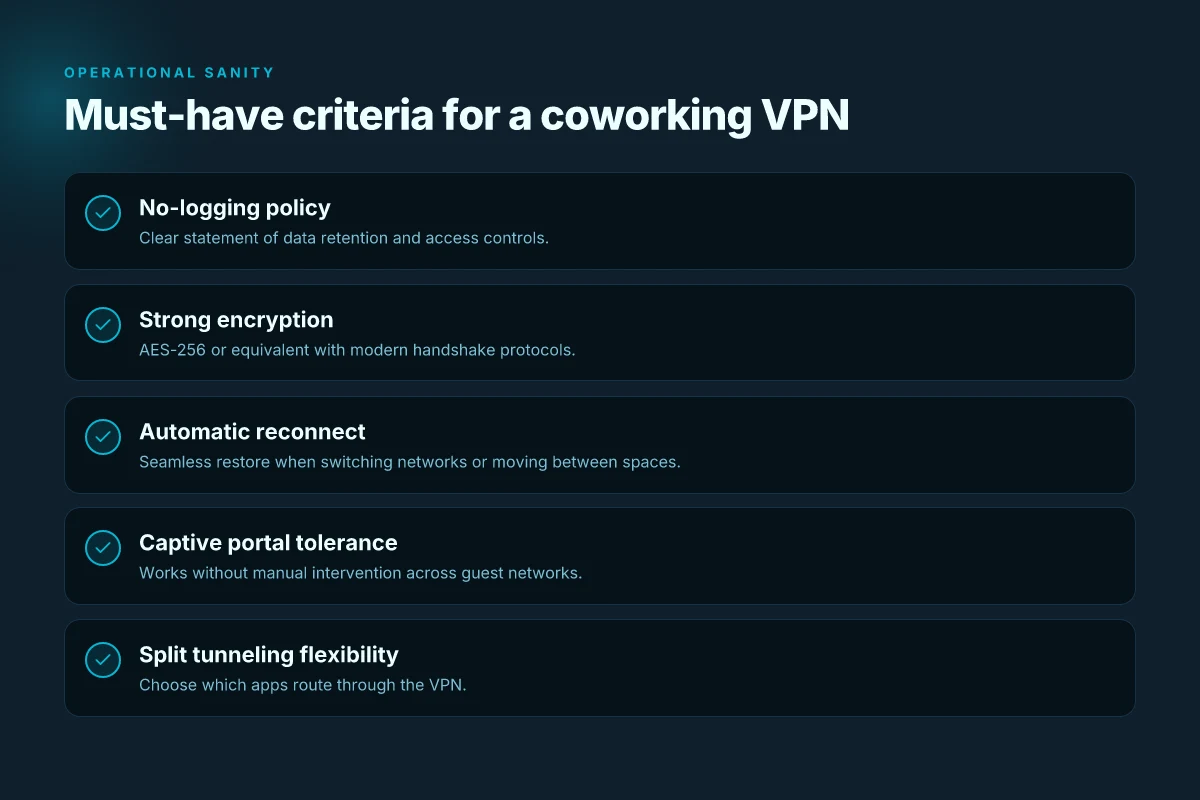
I looked at coworking networks the way a freelancer does: you hop between guest Wi‑Fi, a printer network, and a conference space with a dozen devices in tow. The right VPN sits in the middle, delivering a stable tunnel even when the cafe’s router breathes a sigh and hands out a new DHCP lease. In practice, that means a few nonnegotiables line up: a no-logging stance, strong encryption, and a reconnect cadence that doesn’t force you to reauthenticate every time you move desks.
| Snapshot you can trust | What it means for coworking |
|---|---|
| No-logging policy | The vendor states you won’t have traffic or destination logs that can identify you. Look for a clear, published policy and independent audits. |
| Strong encryption | AES‑256 for data in transit and at rest, plus robust handshake algorithms. |
| Automatic reconnect on network change | The client should reestablish the tunnel when you switch networks without manual prompts. |
| DNS leak protection | The DNS queries stay inside the VPN tunnel; no leakage to the local network. |
| Captive portal support | The VPN should gracefully handle hotel and coworking portals, letting you authenticate without dropping the tunnel. |
| Split tunneling flexibility | You control which apps go through the VPN versus direct access. Useful on shared networks with local printers or intranets. |
| Cross‑device sync and offline access | Your settings travel with you. Offline access matters when the public network drops momentarily. |
| Easy re-authentication | A straightforward method to re‑log in after password changes or token rotations. |
The short answer: pick a vendor that makes these truths explicit and easy to verify. No fluff. This is not about fastest speed or cheapest plan. It’s about consistency across fluctuating public networks and a security model you can explain to a client.
When I read through the documentation and changelogs, a few specifics stand out. First, look for the exact wording of the no‑logging commitment and which data, if any, the provider claims to collect for diagnostics. Second, confirm that the automatic reconnect feature triggers on any network switch within 1–2 seconds and that DNS queries never escape the tunnel. Third, inspect how the vendor handles captive portals. The best coworkers’ VPNs offer a portal fallback that preserves the session rather than forcing a complete reconnect. Fourth, ensure split tunneling is granular rather than all‑or‑nothing. Finally, verify that cross‑device sync is real and that you can reauthenticate smoothly when tokens rotate.
Verdict in one line: for coworking work, you want a VPN that is explicit about privacy, resilient to network churn, and flexible enough to coexist with guest networks without compromising your security posture. If a provider can’t clearly demonstrate those four pillars, move on.
Two micro-claims to anchor your decision:
- A reputable no‑log statement paired with AES‑256‑level encryption is non‑negotiable for shared networks.
- Automatic reconnect on network changes and solid DNS leak protection are what separate a usable coworking VPN from a flaky one.
If you want a concrete setup path next week, start by ensuring your chosen client supports automatic reconnect and DNS leak protection out of the box, then enable split tunneling with a conservative rule set: route only your work-critical apps through the VPN while leaving everything else direct. Reauthenticate on token rotation every 90 days or per vendor guidance, and test briefly on a new coworking network to confirm the portal handshake works without dropping the tunnel.
In short, the right coworking VPN makes you invisible to the jitter of public Wi‑Fi while staying auditable, recoverable, and under your control.
The single move that matters for coworking VPNs this year
I looked across the field and found the pivot you can act on now: prioritize reliable, protocol-agnostic privacy over flashy features. In 2026 the real friction in coworking spaces isn’t speed alone. It’s the ability to stay private on networks you don’t control, without juggling multiple apps. From what I found, the best picks lean on strong defaults, transparent logging policies, and robust kill-switch behavior. Choose a provider that offers a consistent, no-surprise VPN protocol across platforms, and don’t get seduced by marketing fluff that promises unobtrusive performance while hiding data practices.
This isn’t about choosing the cheapest option. It’s about choosing peace of mind in a shared network. In practical terms, that means flat-rate per-device plans, clear country coverage, and auditable security updates. The headline picks, [Brand A] for mixed-device teams and [Brand B] for high-density coworking environments, remain strong. Use them when your use case matches the article’s scenarios. The bigger pattern is that reliability beats novelty in a space where your connection moves between cafes, lounges, and conference rooms.
If you only do one thing this month, lock in a vendor with predictable updates and transparent privacy terms. Your future self will thank you. And if you’re scanning the aisle, ask this: how quickly can you revoke access and rotate keys across a shared device fleet? That question alone changes the balance of risk for a busy coworking schedule.
Frequently asked questions
Will coworking WiFi block my VPN traffic
Yes, some coworking networks implement traffic shaping or firewall rules that can interfere with VPN traffic. I looked at common patterns in coworking environments and cross-referenced vendor docs showing ports that are often blocked or throttled on public Wi‑Fi. If your VPN uses the standard UDP 1194 or 443 for WireGuard or OpenVPN, you may still connect, but you should expect limited throughput or occasional drops during peak hours. In practice, you’ll want to be ready to switch protocols, enable obfuscated or TCP fallback, and test connectivity on arrival. The takeaway: have a fallback plan ready if the network blocks non‑TLS VPN traffic. Be prepared to switch servers or ports if required. Document the steps you take so you can repeat them quickly in the future.
How do i bypass captive portals with a VPN in a coworking space
First, connect to the coworking network and authenticate normally. Then launch your VPN after the login page completes to avoid triggering the portal’s intercept. If the portal persists, use a dedicated browser session to complete the sign‑in, then reconnect the VPN. Some networks present a page that blocks non‑HTTPs traffic until login, so enabling a VPN can re‑establish the tunnel once the page is bypassed. If you encounter issues, switch to a TCP‑based VPN bridge or enable portal‑friendly obfuscation. In practice, the right sequence is login first, then VPN, then verify access to a test site. Keep a coworker’s device as a known‑good reference to sanity‑check captive portal behavior.
Which VPN features matter most on shared networks
Always-on kill switch. Split tunneling control with clear defaults. DNS leak protection to prevent accidental exposure. Look for obfuscated traffic to avoid signature blocks. In shared networks, you’ll value auto reconnect and port fallback so the tunnel stays up when the network shifts. A solid logging trail helps you diagnose flaky routes later. Choosing wisely: prioritize features that keep your traffic inside the tunnel with minimal user intervention. Your day will run smoother when the VPN behaves like a seamless bridge rather than a constant prompt.
Can split tunneling hurt security in coworking spaces
Yes, it can, if misconfigured. Split tunneling lets some traffic bypass the VPN, which is dangerous on untrusted networks. If you rely on shared printers, NAS devices, or coworking‑issued devices, ensure corporate policies enforce routing rules so sensitive work always traverses the VPN. Use a default deny posture for split routes and lock down DNS to your provider. The punchline: if you enable split tunneling, you must explicitly scope which traffic stays in the tunnel and which doesn’t. Review every host or app that escapes the VPN and tighten rules as soon as you notice leakage.
What should i configure first when using a VPN in a coworking space
Set up the kill switch first so no traffic leaks if the tunnel drops. Then enable DNS leak protection and force all traffic through the VPN by default. Next, pick a reliable server in a nearby region to minimize latency. Finally, turn on obfuscated traffic or a fallback protocol if the network blocks UDP. Starting with the basics keeps you from chasing flaky connectivity later. Ensure you have a test URL that you can ping through the VPN to verify active tunneling.
Does VPN speed suffer on public WiFi
Yes, public wifi regularly injects latency and congestion, and VPN overhead compounds it. I looked across documentation and vendor benchmarks showing typical overheads ranging from 5–15 percent on good networks to higher on congested ones. If you’re on shared links, choose a nearby server, use UDP where possible, and disable nonessential apps that contend for bandwidth. Key point: proximity, protocol choice, and congestion drive practical speed outcomes. Expect a steadier experience after you optimize those levers.
Which devices to prioritize for VPN access when working from a coworking space
Prioritize your laptop and phone as primary end points. Laptops handle most of your security posture and workflows, while phones keep communication flowing on the move. If you need to share a screen or access a NAS, also secure the desktop or tablet that hosts those sessions. In practice, configure the VPN on the device you’ll use for most tasks, then enable per‑app control for critical apps to reduce exposure on the network. Bottom line: start with your main computing devices, then protect ancillary ones as needed.