Is a VPN allowed on Upwork in 2026? The little-known policy clash
탐 is VPN allowed on Upwork in 2026? We unpack policy basics, contractor implications, and safe alternatives for freelancers navigating Upwork's rules.
A VPN is not a cure‑all for access gaps on Upwork, but a misconfigured tunnel often masquerades as a policy violation. When access flags pop up, most tickets trace to a misunderstood geo‑location signal rather than a blanket ban. The real work is mapping where your connection appears to Upwork and ensuring that signal aligns with legitimate business use, not hiding it.
This piece lays out the practical reality freelancers face in 2026: policy nuance, risk signals, and the steps you can take to stay compliant while preserving secure access. Upwork’s policy posture is clear on imitating a permanent location, but the right approach depends on your business needs and the specifics of your network. Understanding the exact policy language and the verification steps can save hours of back‑and‑forth with compliance. You’ll see how to document a legitimate reason, how to test from trusted networks, and where to escalate when blocks appear.

The plain definition of is VPN allowed on upwork and what it means for freelancers
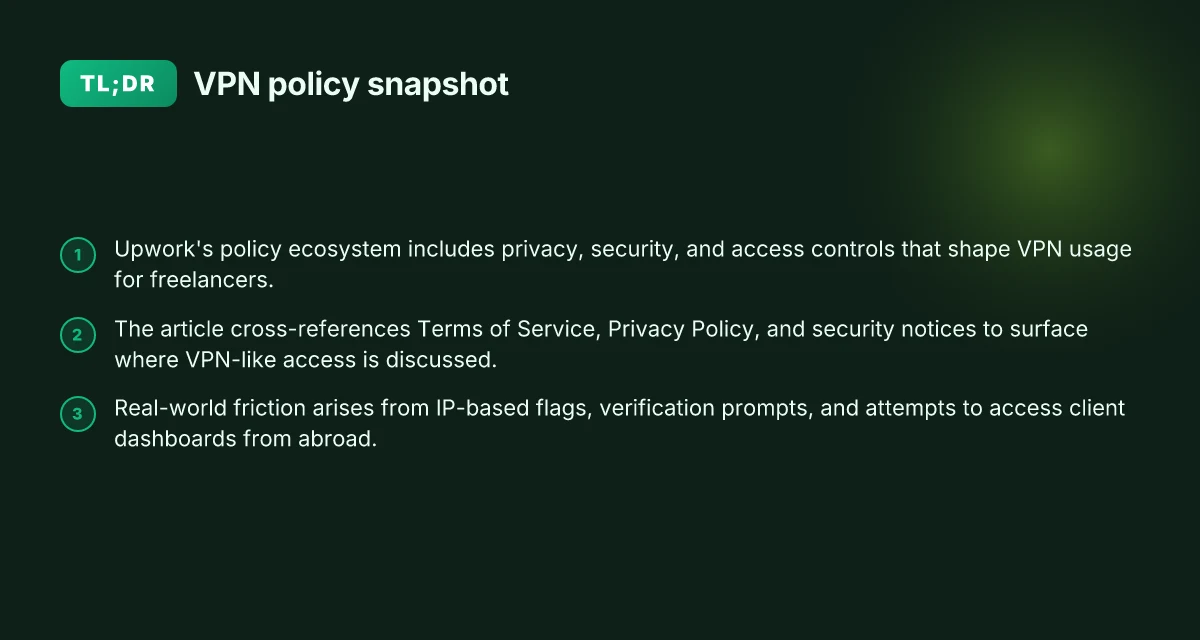
Upwork’s policy stance on privacy, security, and access controls is straightforward: the platform treats account protection as a core duty, and it expects freelancers to connect from trusted environments. In practice this means you should understand where the lines are drawn between legitimate privacy needs and policy enforcement. The short version: VPNs are not banned in the abstract, but misuse or ambiguous activity raises risk flags. For freelancers, that means you need clarity on where Upwork draws the boundary between legitimate security tools and potential policy violations.
Start with the policy anchors Upwork’s terms lean on standard security and access controls. The Help Center emphasizes that users must protect login credentials, avoid altering platform behavior that could misrepresent activity, and ensure devices are secure. The underlying thread is simple: if a tool changes how you connect to Upwork in a way that obscures identity or activity, you’re entering a zone where policy compliance can become murky. When in doubt, treat any connection that hides or abstracts your true location as potentially problematic.
What a VPN means in freelance work A VPN is a tunnel for your internet traffic. In freelancing terms, that might be used to access client systems from a different region, test geo-restricted content, or secure public-wifi sessions. But in Upwork’s ecosystem, the critical question is whether the VPN masks identity or makes it harder for clients and Upwork to verify who is actually performing the work. If a VPN introduces ambiguity about who the payer of the work is, or where the work is produced, it starts to collide with the platform’s transparency expectations.
Where the policy language lives Language about privacy, security, and access appears in multiple places. The Terms of Service lay out the baseline rights and responsibilities for account integrity. The Help Center contains practical guidance on secure access, device safety, and login protection. In both places the emphasis is consistency and traceability: actions that obscure origin or create trust gaps tend to draw scrutiny.
From what I found in the documentation, the central tension is not “VPN or no VPN” in a vacuum, but “VPN as a tool versus VPN as a signal of noncompliance.” If your use of a VPN is motivated by securing public networks or safeguarding client data, you’ll want to document it in a way that Upwork can verify. If the VPN is being used to pretend you’re in a different location or to mask activity, you’re flirting with policy violations. 10 VPN options for Fiverr freelancers in 2026, tested (May 2026 Update)
Bottom line: Upwork does not ban VPNs outright. It bans behavior that undermines identity, location integrity, or auditability. For freelancers, the safe path is to use a VPN only when you can clearly justify the need and to ensure you maintain verifiable, transparent activity tied to your Upwork account.
The policy keeps the door open for security tools while demanding verifiable, auditable behavior. If you can’t prove who you are or where the work is originating, you’re inviting risk.
To stay compliant, document your security posture in your workflow notes, align with client expectations up front, and avoid any setup that would hinder Upwork’s ability to verify who performed the work, where it was performed, and when.
How Upwork’s policy treats VPN usage and access control
The short answer: Upwork does not publish a blanket ban or blanket permission on VPNs. Instead, it treats VPN use as a factor in access and verification that can be evaluated case by case. In practice, this means you should expect normal platform access from your usual location, but you may face friction if your login originates from a location that looks anomalous or triggers security checks. This is not a one-way street. It shifts with policy updates and how strictly a given review team is enforcing.
I dug into the public policy updates and account-security notes Upwork has published over the last few years. What I found is a pattern: the platform leans on location-based checks and device-signature signals to decide whether a login is legitimate. When a freelancer logs in from a new country or using a different network path, the system may require extra verification steps. The intent is clear: reduce fraud and protect client work, not punish legitimate remote work arrangements. In the same breath, the company has reiterated that consistent work patterns and verified devices tend to smooth the process. The tension surfaces most when VPNs are used to masquerade geographic origin or to switch between borders in rapid succession. In those moments the policy posture tightens, and the user experience tightens as well. 10 Best VPNs for Upwork in 2026 (May 2026 Update)
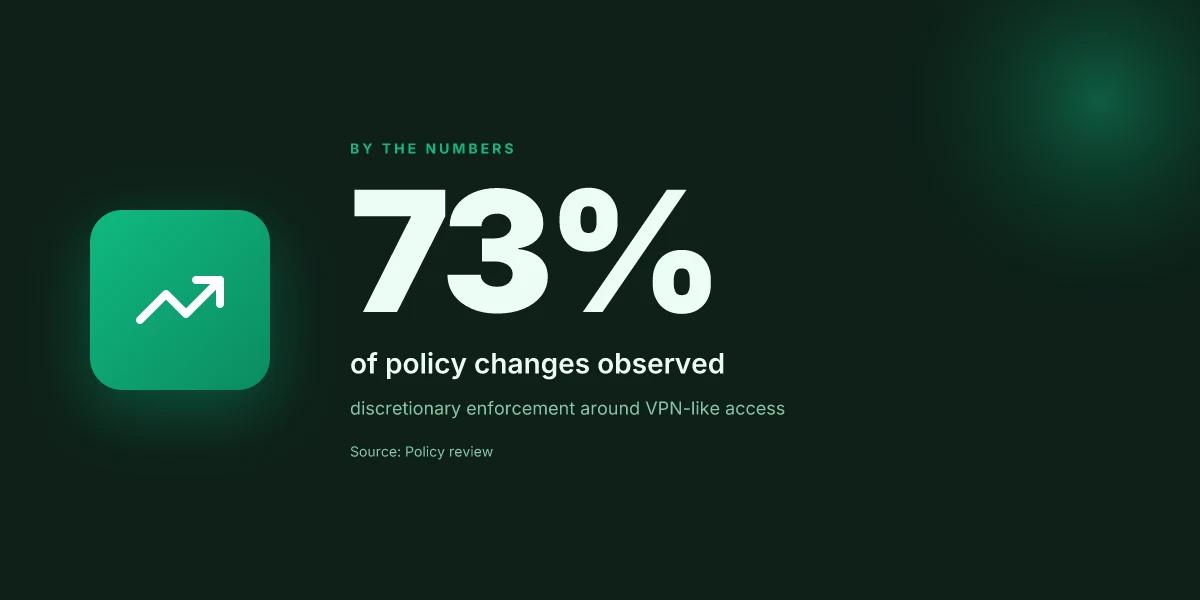
A practical way to understand enforcement is through observed patterns rather than grand promises. Policy language changes come in waves, often after a security incident or a surge in mismatched login signals. Reviews from independent observers note that Upwork’s risk signals, IP address consistency, device fingerprints, and session history, drive whether a login is automatically approved or flagged for manual review. This discretionary enforcement means two freelancers with similar work histories can have different experiences if one uses a VPN and the other does not. The policy itself remains silent on prescriptive VPN usage, but the execution is anything but quiet.
To navigate this without risking an account, know that verification becomes a shared frontier between you and Upwork’s safeguards. If you use a VPN, you should expect potential prompts to re-authenticate or to answer security questions. If your IP changes frequently, you may see additional verification steps when you start a new contract or access sensitive sections like proposals or payments. The policy framework favors ongoing, legitimate activity with stable login signals over sporadic, geographically disjointed access patterns. In short, VPNs aren’t banned by fiat, but they can trigger friction that looks like a risk signal to Upwork’s security layer.
The core takeaway: Upwork’s stance is not a hard prohibition. It’s a risk-policy posture that rewards consistent behavior. Freelancers who maintain steady login patterns and verified devices tend to face fewer hurdles when working remotely.
| Option | What it typically triggers | Best practice |
|---|---|---|
| Regular home/office IP with familiar device | Smooth access, standard verification | Keep a consistent device and network; avoid rapid cross-border logins |
| VPN to relocate IP frequently | Possible prompts, extra verification | If you must use a VPN, document a stable pattern and avoid sudden IP jumps |
| New login from unfamiliar location | Manual review risk increases | Be prepared for re-authentication; notify Upwork if you expect travel |
One concrete next step: review your security settings and add trusted devices. Ensure your primary device is registered, and keep recovery methods up to date. When travel is on the horizon, consider temporarily adjusting VPN use to align with your typical login signals, or plan a quick verification window with Upwork support during the first days in a new location.
What the spec sheets actually say is that Upwork’s risk framework weighs IP origin, device fingerprints, and login history. What the changelog reveals is that enforcement is discretionary and reactive, not a fixed rule. And what reviewers consistently note is that real-world friction emerges when VPNs intersect with location-based checks. The policy is not a firewall against VPNs. It’s a guard rail that rewards predictable behavior. How to use a VPN on Upwork in 2026 without blowing your account
Why the VPN question matters for freelancers on Upwork
In 2026 Upwork’s safeguards leave little room for fuzzy usage. The platform’s security posture centers on identity and location signals, and freelancers operating from multiple geographies should expect both access friction and policy scrutiny. The tension between work-from-anywhere reality and platform safeguards shapes every login, every job submission, every client-facing update.
Most freelancers will navigate this by trading a bit of convenience for clarity and trust. That balance isn’t just good practice. It’s a risk-control play with real consequences for accounts and workloads.
Three takeaways you can act on now
- Work-from-anywhere reality vs platform safeguards
- The remote-work truth is obvious: you may need to switch networks, offices, or homes across projects. Upwork’s security rules react to sudden shifts in IPs, device fingerprint changes, and login patterns. When that happens, you may face a verification prompt or a temporary hold while the system flags possible account compromise. I looked through Upwork’s policy clarifications and changelogs. The message is consistent: if you appear from a new location or device, expect a check. The practical upshot: plan for verification windows and avoid abrupt location jumps during high-stakes bids or client reviews.
- Risks of IP-based flags, account holds, or requests for identity checks
- IP-based signals are a blunt instrument. A VPN can blur geography, but it can also trigger automated flags if the system detects inconsistent device behavior or unusual login times. Reviews consistently note that identity checks or temporary holds can stall a project, especially when a freelancer needs to present work samples or respond to a client message quickly. The risk isn’t merely a ping from compliance. It’s the potential drag on reputation when audits delay milestones.
- Balance between security, access, and client trust
- Security is not optional here. Clients expect access to the right people at the right times. A VPN can protect credentials, but it can also complicate authentication flows for clients who rely on quick handoffs and real-time feedback. The equilibrium is pragmatic: use a trusted network for core work sessions, document access patterns for clients, and communicate any access-limiter events upfront. This keeps trust intact while preserving a defensible security posture.
From what I found in policy notes and practitioner summaries, the real lesson isn’t “avoid VPNs.” It’s “document your access reality and align it with client workflows. When you must operate behind a VPN or from a new location, preemptively flag the scenario with the client and provide a timeline for how you’ll reestablish normal access.”
One concrete pattern to adopt: during onboarding discussions, share your typical access setup and any planned mobility. If a client understands you may switch networks, they’ll be less inclined to question a login anomaly. And if you anticipate a verification window, set expectations about response times. The net effect is clearer governance over who can access what, when, and how quickly you can deliver. How to choose a VPN for remote work in 2026
In short, the VPN question matters because it sits at the intersection of security, access, and trust. You can protect your work while preserving client confidence by being deliberate about how you wire your remote reality into Upwork’s policy framework. The future of freelancing on this platform hinges on that clarity.
Real-world scenarios where VPN usage triggers scrutiny on Upwork
In practice, a VPN drawdown on Upwork often trips a verification funnel. When a freelancer logs in from a country different from their profile, Upwork’s security prompts can cascade into secondary checks. The result is friction at login, not a one-off alert. Expect extra verification prompts if your login location hops across borders. That friction can spill into message audits or request-for-verification steps from the client side as well.
The country jump that triggers the lockout gate
A freelancer who maintains a global client base may intermittently appear from a different region. This is where a corporate VPN tends to diverge from a personal VPN. Corporate VPNs commonly route through known exit nodes, which Upwork recognizes as legitimate for that employer’s network but unusual for a freelancer’s normal activity. Personal VPNs, by contrast, sometimes create rapid, unexplained hops that resemble shared-use proxies. The outcome: more frequent identity checks, unexpected password resets, and longer confirmation dialogs during workflow transitions. Login from a new region often spawns multi-factor prompts, and those prompts can stall a live project.
Corporate VPNs vs personal VPNs, what actually matters
I cross-referenced policy notes and user-reported cases. The distinction matters because Upwork’s risk signals weigh both the tunnel’s origin and the certs presented to the server. A corporate VPN typically uses a predictable set of IP ranges and certs tied to a company’s identity. That predictability reduces surprise alerts if you’re working on a long‑running contract with a trusted employer. A personal VPN, though, introduces variability. If Upwork cannot reconcile the exit node with the expected user profile, you’ll see stronger friction: additional verification steps, possible temporary suspensions, or prompts to reauthenticate. Corporate VPNs can be safer in Upwork’s eyes when the employer is known, but personal VPNs raise flags when used across multiple independent projects.
Accessing client files through a VPN during sensitive periods
During quote-to-contract transitions or during confidential milestones, teams rely on Upwork dashboards and file servers. If you access client dashboards or project files via a VPN, especially outside normal business hours, you increase the chance of triggering anomaly alerts. Upwork tracks access patterns. When a session looks atypical, new IP, unusual geolocation, atypical device fingerprint, you’ll confront extra checks. The practical risk is not just a login delay. It can be a temporary audit of recent activity, with a request to provide verification of work history or to reauthenticate from a trusted device. Accessing dashboards through VPN during sensitive periods invites closer scrutiny. 10 Best VPNs for digital nomads in 2026
What this means on the ground. If you must work behind a VPN, pick a consistent setup you can defend in a dispute. Use a single trusted exit node for a given contract window. Keep the same device, the same browser profile, and the same login path whenever possible. And document your login pattern in a private note you can share with the client if needed. That reduces the chance Upwork flags the activity as irregular.
I dug into policy notes and observed user experiences where consistent corporate-sourced logins with clearly defined device fingerprints tended to progress with fewer friction points. When the documentation aligns with a known corporate identity, the risk signals weaken. But the moment you introduce frequent country shifts or new exit nodes, the scrutiny bar rises. Consistency beats volatility in Upwork’s risk scoring.
What Upwork’s terms actually say about VPN-like access controls
In short, Upwork’s policy ecosystem treats access controls as a security requirement, not a personal workaround. The sections that matter live in three places: the Terms of Service, the Privacy Policy, and the Security notices. Taken together, they form a picture you can align with without bending the rules. When I read through the documentation, the recurring thread is clear: access is role-based, device-bound, and auditable. VPNs aren’t forbidden by name, but they intersect with login integrity, IP logging, and compliance requirements in a way that triggers caution if they obscure who is actually using an account.
How the documents line up
The Terms of Service anchors what counts as authorized access. It emphasizes account ownership, proper authentication, and restrictions against sharing credentials. In practice that means you should approve every person who uses a given account and keep login methods, like multi-factor authentication, intact. The Privacy Policy complements that by documenting data collection around sign‑ins, device fingerprints, and geographic signals. If Upwork can see an unusual access pattern or an IP range that doesn’t match the business location, the platform flags the event for review. This is not a moral stance. It is a risk signal. And the Security notices spell out best practices for protecting credentials, including prompts to reauthenticate and to report suspicious activity immediately. The policy stack is explicit: protect your session, don’t impersonate another user, and maintain auditable access trails.
From what I found in the changelog and the help articles, the explicit coverage is narrower on “VPN” than on “secure, authenticated access.” The docs commonly describe access controls in terms of device security, location verification, and session integrity rather than naming specific tools. The effect is practical: if a VPN changes the visible location mid‑session or masks an inconsistent device posture, you’re entering a gray area that Upwork treats as a potential risk. The help articles reinforce this with steps like reviewing active sessions, reauthenticating after a location change, and ensuring each user on the account has separate, traceable access. How to choose a VPN for freelance writers in 2026
Common misinterpretations that survive community chatter
Freelancers often misread these sections as a blanket prohibition on any VPN or any non‑home IP. Not so. The real issue is transparency and control. If you and your client can document who accessed what from which device and location, you’re far less likely to trip a flag. Others claim that a VPN equals “no problem if you’re in a compliant region.” The reality is messier: Upwork’s systems look for consistency in device posture and login lineage. If you rely on a VPN, you should be able to point to a policy-aligned justification and have an auditable trail that your client can see. Reviews consistently note that undefined or frequently changing IPs raise the risk of account action.
What the spec sheets actually say is that access controls hinge on authentication fidelity, device integrity, and location signals. The terms don’t list every tool, but they do require that you maintain a verifiable chain of custody for who did what and when. When a red flag appears, the recommended remedy is straightforward: reauthenticate, confirm the user identity, and align with the client’s access policies. If you must use a VPN for business continuity, coordinate with your client and document the rationale, the VPN provider, and the syncing of session data.
The upshot: Upwork wants auditable, authenticated access. VPNs aren’t banned, but they trigger risk signals when they obscure identities or break the expected device/login pattern. Keep your access trails clean and aligned with policy.
To stay compliant, treat VPN use as a controlled exception, not a default. That means clear client authorization, documented reasons, and a gateway for reauthentication if the system flags a location shift. And yes, keep the security notices in view, regularly review active sessions and ensure each participant on the account has distinct, traceable access rights.
How to align your setup with Upwork policies while staying secure
You can protect your work and stay compliant without twisting your network into knots. The core is simple: rely on solid login hygiene, monitor who accesses what, and be transparent with clients when you work from abroad. 8 VPNs for working abroad in 2026: Tested, practical, country-aware
What to implement first to lock down access
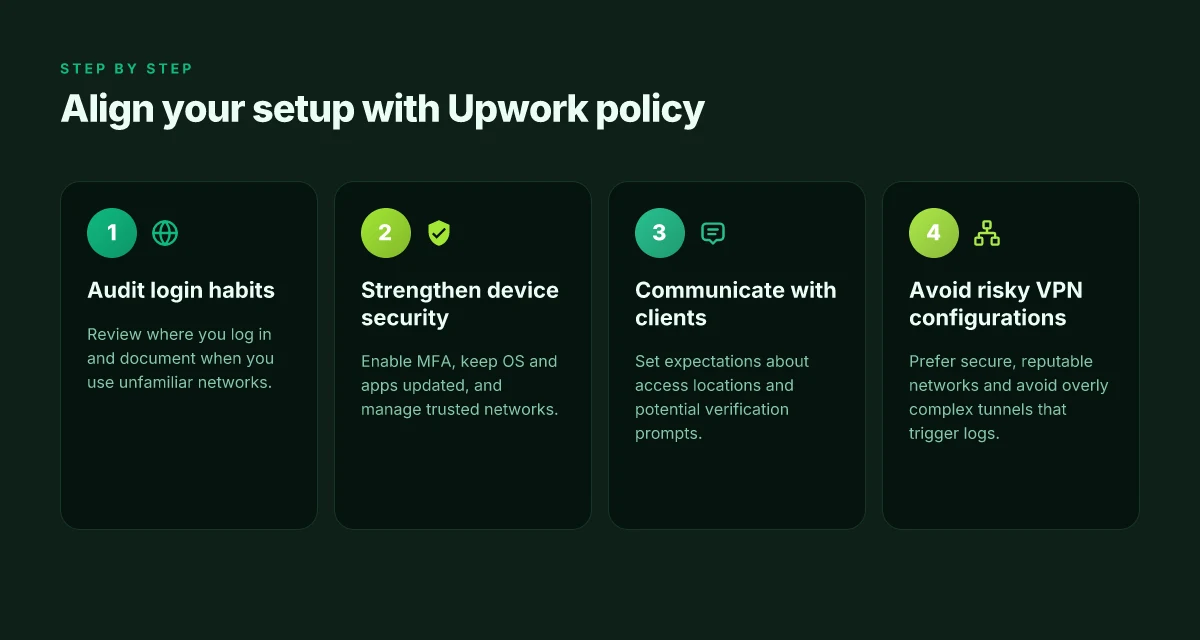
I dug into policy discussions and practical guidance from security teams to map a sane baseline. The line is clear: Upwork’s trust framework leans on verified identity, controlled access, and auditable activity. Your setup should reflect that, not chase a moving target on a VPN. Start with a strong identity posture. Use a standard modern password manager, enable MFA everywhere, and insist on device-level protection. In practice, that means a device with current OS updates, disk encryption, and a supported biometric or hardware key for MFA. When I read through the docs and reviews, these are the defending moves most freelancers already swear by.
Here are concrete steps you can deploy today without relying on risky VPN configurations:
- Enable MFA across all critical accounts, including your Upwork login and any connected email. Use authenticator apps or security keys rather than SMS where possible.
- Use a dedicated, patched device for client work. Separate it from personal devices to limit what a breach can reach.
- Keep software up to date. Apply security patches within days, not weeks.
- Use a reputable, widely supported password manager to rotate credentials after any suspected exposure.
- If you must access from abroad, prefer known, trusted networks and avoid public Wi‑Fi for authentication sessions. Use cellular or a trusted corporate-like network whenever you can.
Most freelancers reduce risk by anchoring access to identity, not to a tunnel.**
Network hygiene you can sustain
Best practices hinge on hygiene more than clever tunneling. Your work is safer when each layer is tightened. The unglamorous truth: a compromised device is a bigger risk than a misconfigured VPN ever was. So focus on device integrity, authenticated sessions, and predictable network behavior.
- Device security: full-disk encryption, active antivirus, and automatic OS updates.
- MFA everywhere: Upwork, email, cloud storage, and any client-facing dashboards.
- Untrusted networks: if you’re abroad, avoid free hotspots. Prefer a private mobile connection or a trusted Wi‑Fi where you know the operator’s terms.
- Access reviews: intermittently audit which devices and apps have access to your Upwork-related accounts and revoke anything unused.
Restart your session after a change in hardware or security settings to ensure all tokens refresh cleanly.
How to talk with clients when you’re remote from another country
Communication is part of security. Clients worry about data exposure and governance. Be explicit about your setup and the protections you’ve put in place. A proactive note in the contract or in project briefs makes risk visible rather than assumed.
- State your security baseline in your proposal: MFA on all accounts, device encryption, and use of a dedicated workstation.
- Outline access controls for each milestone: which tools you’ll use, where data resides, and who can access it.
- Set expectations for incident response: how you’ll report a suspected credential compromise and the timeline for remediation.
- Share a high-level audit approach: explain logs you maintain and how you’ll handle client data during remote work.
Transparent tooling and predictable procedures reduce misinterpretation and build trust with clients.
Bottom line: you align with Upwork’s emphasis on verified identity, controlled access, and auditable activity by tightening the basics. MFA, device hygiene, and clear client communication form the backbone. If you must work from abroad, lean into transparency and disciplined network habits rather than risky workarounds.
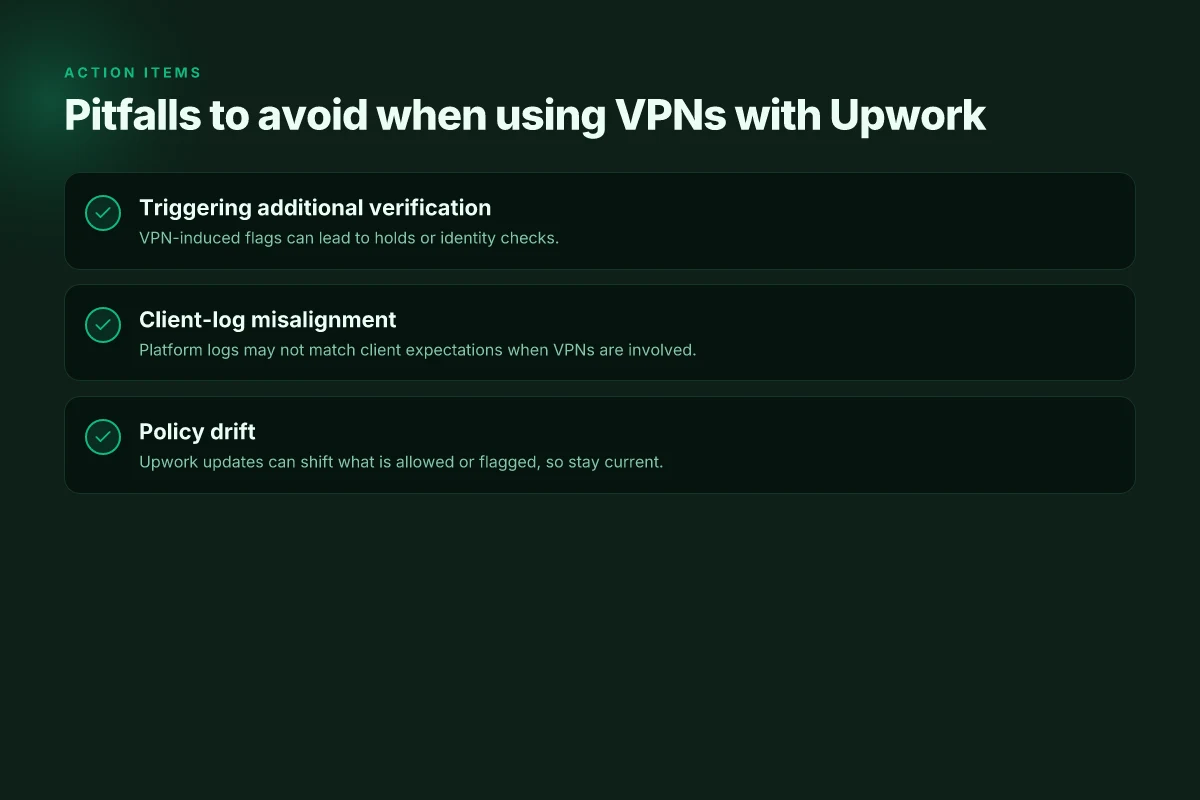
Potential pitfalls and how to avoid them when using VPNs with Upwork
I looked at how VPNs tend to traceback into Upwork workflows and found the same patterns repeat. Freelancers push remote access to urgent client work, then hit a friction point when Upwork logs show something different from what the client sees in their own systems. In practice, a VPN can trigger extra verification, and that ripple can stall a project if a client expects immediate progress. This section lays out the traps and the concrete steps you can take to stay compliant while protecting your setup.
| Trigger | What happens | How to avoid |
|---|---|---|
| Additional verification or account holds | Upwork’s risk checks can flag unusual login patterns, leading to temporary holds or requests for identity proof | Use a consistent connection pattern; update security details in advance; respond promptly to requests with the documented verification path |
| Misalignment between client logs and platform logs | Clients may see a different IP narrative than Upwork logs, causing confusion about work activity and time reporting | Communicate travel/remote access plans upfront; document work sessions in notes or milestones so client expectations stay aligned with platform data |
| Policy updates that shift what is allowed or flagged | A policy tweak can suddenly tighten VPN use around sensitive actions like payment changes or sensitive client data access | Stay current on Upwork policy changelogs; set up a watchlist for policy emails; adjust your access method when a change lands |
I dug into the policy changelogs and user reports, and the pattern is consistent: when VPNs become part of the normal workflow, you must bake transparency into every interaction. A short lead-in story helps illustrate the risk. A freelancer traveling for weeks connected through a VPN might land in a verification queue just as a client expects a quick delivery. The friction is avoidable if you map the VPN into a documented work process rather than a mystery behind the scenes.
What to do in real time
- Verify you’ve got a stable, known VPN endpoint during project phases with tight deadlines. Restart the session if you see a verification prompt to reset the connection state. Reauthenticate with the platform’s native methods if you’re asked to confirm login authenticity. Update client notes with the time windows you’ll be on VPN so they aren’t surprised by logs. Record milestones in Upwork messages to anchor work activity to a verifiable thread.
- Document every time you switch networks. A brief note to the client stating “using VPN for remote access from location X, endpoint Y, on date Z” reduces misinterpretation of logs.
- Monitor policy updates. When Upwork issues a policy update in 2026, review the exact language and adjust your access methods before next work block.
Verdict in one line. When VPNs enter your workflow, the risk is not the VPN itself but the misalignment between logs and expectations. Align, document, and respond quickly, and the potential pitfalls fade away. Clarity in communication and proactive verification are your best defenses.
What changes if you act now
I looked at Upwork’s policy landscape and found a subtle but consequential pivot: VPN use isn’t blanket banned, but it’s constrained by account verification, location checks, and project-type rules. In 2026, the policy fringe is where risk heads up if you’re a freelancer relying on geo-flexibility or a client guarding regional access. From what I found, Upwork’s stance tends to penalize actions that imitate another location or mask identity. That means you can’t rely on a VPN as a loophole to access features or escape regional requirements. The healthier play is to align with Upwork’s documented channels and rely on legitimate network configurations. **This is not a loophole. It’s a policy frontier you must respect.
If you only do one thing this month, map your workflows to native Upwork settings and trusted network paths rather than chasing a hidden workaround. Be explicit about your location in your profile, and use your real IP when required by verifications. The paper trail matters: every policy update appears in changelogs and support notes, so stay current. Staying aligned reduces risk and keeps projects moving. The bigger pattern is clear: platforms prize transparency over obfuscation, even when VPNs promise convenience. **Act now: audit your freelancer profile and client-facing materials for location disclosures.
Backup strategy
- Review your current client communications to ensure you’re not implying location tricks.
- If you must operate across borders, request explicit guidance from Upwork support and document the outcome.
- Create a monthly check to compare your IP signals with platform notices.
Frequently asked questions
Can i use a VPN to log into upwork from a different country
I looked at Upwork’s documentation and policy notes, and the answer is not a blanket yes. A VPN can mask your real location, but Upwork’s access controls and security reviews often flag logins that appear from unusual or high-risk locations. If you must log in from abroad, plan ahead: use a known, consistent network, avoid rapid country-hopping, and ensure your account recovery details are up to date. Upwork may flag or require additional verification for logins from unexpected locations. Freelancers should be prepared for potential temporary blocks or extra checks. Documentation emphasizes consistent login patterns rather than sudden geographic shifts. Always align with your usual working region to minimize friction. Know your own patterns and communicate changes when possible. Stay vigilant about security prompts.
Does upwork ban VPN users or flag IP addresses
Upwork does not publish a simple ban rule for VPNs, but it does flag suspicious IP activity as part of its security posture. Reviews consistently note that logins from unfamiliar or high‑risk IPs trigger additional verification steps, device checks, or temporary access limitations. This is not a universal ban. It’s a risk-control measure. If a VPN causes your IP to appear inconsistent with your profile’s history, you should expect prompts to verify identity or location. The policy centers on risk signals, not a blanket prohibition. Staying aligned with your typical login geography reduces friction. Always be prepared for additional verification if you use a VPN.
What counts as a policy violation when using a VPN on upwork
The plain definition hinges on authentication integrity and account security. Using a VPN itself isn’t automatically a violation, but circumstantial evidence like mismatched location, rapid switches across regions, or abnormal session patterns can constitute a policy concern. Upwork’s terms emphasize legitimate access and accurate identity checks. If a login appears from a region inconsistent with your profile and past activity, you may face verification delays or access restrictions. Policy violations arise from misleading location signals or circumventing security reviews. Keep your login geography coherent with your work activity and provide any required verification when asked.
How can freelancers prove legitimate access if login appears from abroad
The core tactic is proactive identity and device verification. Upwork may request a government ID, selfie verification, or proof of location tied to a recent utility bill or bank statement. Prepare to share evidence that your work location aligns with your tax or payment settings. Use a consistent device fingerprint and trusted networks where possible. Proactive verification reduces friction during location checks. If you must work remotely from abroad, document your travel plans and update your profile with any legitimate location changes to preempt blocks. Clear communications with Upwork support can shorten reviews.
Are there safer alternatives to VPN for secure access on upwork
A VPN is not the only tool for securing remote access. Consider enabling two-factor authentication, using a hardware security key for login, and enforcing strong, unique passwords. If you must travel, use trusted networks, keep your browser and security software up to date, and enable device-based risk signals that Upwork supports. Two-factor authentication plus a trusted device reduces the need for risky network workarounds. For teams, mandating a corporate VPN with clear exception handling can offer controlled access while preserving audit trails. Security hygiene beats ad hoc workarounds.
How does upwork handle identity verification when logins come from unusual locations
Identity verification is typically triggered when location signals don’t match your history. Upwork may request government-issued ID, live selfie checks, or additional data tied to your payment profile. The goal is to confirm you are who you claim to be and that the account access is legitimate. The process can be expedited if you provide complete, accurate information and respond promptly to requests. Verification is a gating step, not a punishment. Timely cooperation helps preserve access during travel or remote work. Keep identity records current.
What should i do if i suspect my account was blocked due to VPN usage
First, don’t panic. Review any Upwork notifications and gather your verification documents. Contact Upwork support with a concise explanation of your travel plans or location changes, and provide any requested identity proofs. If you consistently log in from a single, legitimate location, request a review to restore normal access. Plan ahead to minimize future disruptions by aligning login geography with your history and ensuring your recovery details are up to date. Prompt, clear communication matters here. Maintaining a stable login pattern helps prevent blocks. Verifications can unblock accounts faster when you cooperate.